0:00
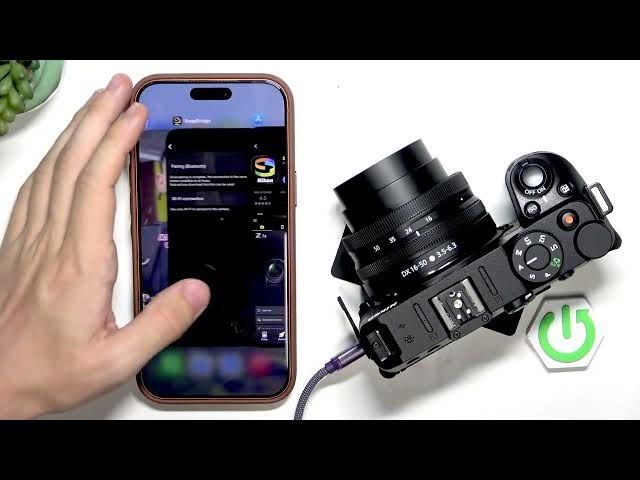
Hello. In today's video, I'll show you
0:02
how to connect your Nikon Z30 to your
0:12
In order to do it, you will need to
0:15
download the app on your phone. It's
0:18
available for both iPhones and Android
0:21
phones, and it's called Snapbridge. So,
0:24
you can see I already have it um in the
0:27
App Store on my iPhone. I can click on
0:30
get and then um confirm the download um
0:36
okay let's give it a moment uh to
0:39
install and on the camera well the
0:42
camera has to be turned on
0:45
let's go to the menu let's go to the
0:48
setup menu now go down until you find
0:52
the option to connect to smart device
0:58
now you can either do it with Wi-Fi or
1:01
Bluetooth. We'll get to that in a
1:03
moment. I'll just get to it when uh the
1:08
Okay, the app's there. So, let's click
1:11
on allow to allow Bluetooth. Um, now
1:15
I'll allow full access to the photo
1:21
Okay, there it is. Now, select your
1:24
region. I'm in Europe in uh Poland. So,
1:28
I'll do that. Uh, now accept the Okay,
1:32
let's read it. Let's accept start. And
1:36
now, uh, connect to camera.
1:42
okay. Let's click on close. Um, I'll
1:46
turn on Bluetooth um on my phone. Now,
1:50
let's select Z30. You can see I have it
1:53
right here on the list. And I can do
1:58
I can do either Bluetooth or Wi-Fi
2:06
yeah. So I'll do Bluetooth. Um then as
2:16
let's select uh pairing Bluetooth
2:20
then start pairing. And now um this is
2:25
the name. It's searching for the camera
2:27
on my phone. So, it has found it. Let's
2:39
let's click on understood.
2:44
It's connecting to camera right now. So,
2:47
yeah, you can see it's loading. It is
2:50
indeed connecting right now. Now, I can
2:52
find it on the list. Let's click on it.
2:56
Uh then uh let's uh click on okay here
3:03
just so we can pair it. The pairing is
3:05
complete now. Um my iPhone is now
3:09
connected. Uh let's click on okay.
3:14
Now uh you can uh auto link. You can
3:18
check the status. You can view images
3:20
downloaded from the camera. link to
3:22
Nickens's uh cloud sharing service. You
3:26
can allow or disallow notifications.
3:31
okay, let's close that.
3:39
nicon image space. Click on that. Now,
3:42
now when I take a photo, let's do it
3:45
then. Um I'll get out of the menu. I'll
3:48
go to the photos. Uh let's take one
3:54
should be captured. Okay. Yeah. Great.
3:56
Perfect. Now download pictures. Um let's
4:05
It's going to download the photos to my
4:13
yeah, let's give it a moment.
4:16
Now this is the photo. Uh when I click
4:19
on display options, I can um
4:23
also change to RAW. So I can also find
4:26
RAW photos or just JPEG, photos and
4:28
videos, photos only, videos only. I can
4:31
sort by date. I can uh see all folders
4:34
or not. Um okay, let's give it a moment.
4:39
Yeah, it's it has the screen saver on.
4:42
The camera has screen saver, so it's
4:45
just shutting down sometimes.
4:48
Uh, I should I should turn it off so it
4:52
doesn't turn off, you know, the screen
4:57
I'll just I'll just wait a moment. Um,
5:00
and we'll download a photo.
5:03
I can click on it. I can click on
5:04
download here. Uh, what else can we do?
5:08
We can enable protected uh images and
5:14
let's download. I can download it at 2
5:17
megapixels or original format if you
5:20
prefer the original format. And now it's
5:24
going to get downloaded into my gallery.
5:27
So that is basically it. I hope that
5:30
this video was helpful. Don't forget to
5:32
like and subscribe and I'll see you in