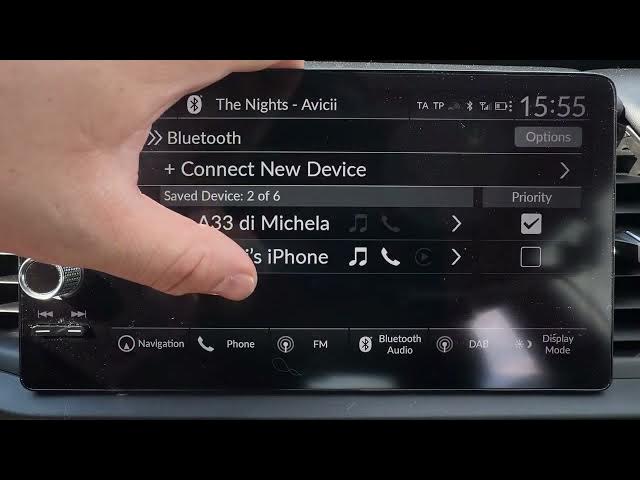

HONDA Jazz V HYBRID – How to Connect Android Auto or Apple CarPlay
May 28, 2026

In this video I show how to connect Android Auto or Apple CarPlay in the HONDA Jazz V HYBRID. Whether you are pairing your smartphone for the first time or reconnecting an already paired device, you will learn where to find Smartphone Connections in the car menu, how to start a new connection, how to use Bluetooth to select CarPlay or Android Auto, and how to confirm the connection on your phone. Simple steps, clear prompts, and quick tips to get Android Auto or Apple CarPlay working smoothly on your Honda Jazz V Hybrid.
How to connect Android Auto on HONDA Jazz V HYBRID?
How to connect Apple CarPlay on HONDA Jazz V HYBRID?
Where is Smartphone Connections in HONDA Jazz V HYBRID?
0:00 Intro – Honda Jazz V HYBRID overview and purpose of the video
0:05 First-time connection prompt – accept CarPlay or Android Auto
0:17 Selecting "Connect" when prompted
0:22 Go to Home then General Settings and Smartphone Connections
0:35 Choose Apple CarPlay or Android Auto and select Connect new device
0:43 Alternative: Connections → Bluetooth and pick your smartphone
0:54 Confirm on the car display, then confirm on your smartphone
1:02 Finished – connection complete and final tips
#HondaJazzV #AndroidAuto #AppleCarPlay #HondaHybrid
Find out more:
https://www.hardreset.info/devices/honda/honda-jazz-v-hybrid/
Show More Show Less #Science