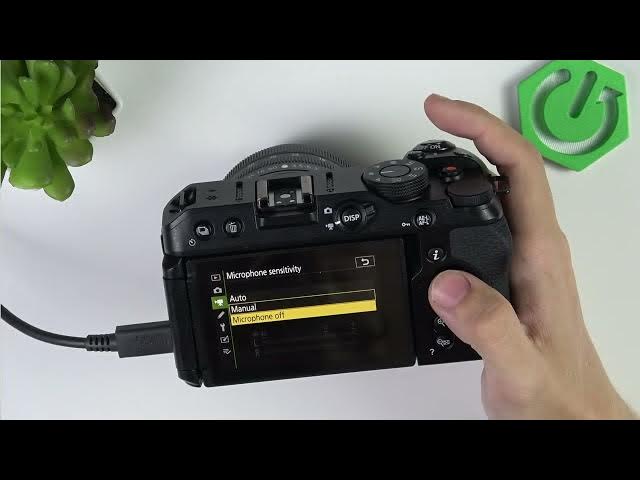

NIKON Z30 – How to Fix No Sound in Videos
Jun 3, 2026

In this video I show how to fix no sound in videos on the NIKON Z30. You'll learn quick checks and simple settings that usually solve audio problems: how to switch to video mode and check the on-screen mic level, where to find microphone sensitivity in the video recording menu, when to use Auto or Manual sensitivity, and how to test an external microphone and cables. Follow these steps to restore audio recording on your Nikon Z30 and avoid silent footage.
How to fix no sound on NIKON Z30?
How to change microphone sensitivity on NIKON Z30?
Where is the microphone setting in NIKON Z30 video recording menu?
0:00 Intro – what we will fix
0:06 Switch to Video mode and check on-screen microphone levels
0:25 Open Video recording menu and find Microphone sensitivity
0:51 Set sensitivity to Auto or Manual and increase level if needed
1:38 Plug in and check external microphone and cable connections
2:01 Test with another mic or camera to isolate the issue
2:12 Wrap up and channel reminder
#NikonZ30 #Nikon #CameraAudio #FixNoSound
Find out more:
https://www.hardreset.info/devices/nikon/nikon-z30/
Follow us on Instagram ► https://www.instagram.com/hardreset.info
Show More Show Less #Science