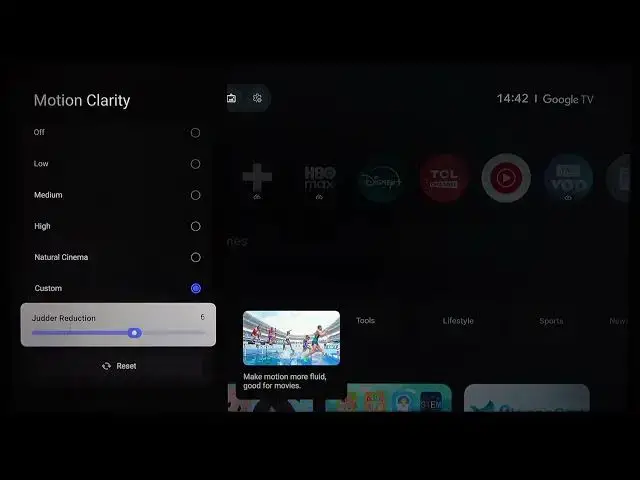

TCL 43C61B – How to Reduce Picture Judder & Blur
Jul 1, 2026

In this video I show how to reduce picture judder and blur on the TCL 43C61B. You will learn how to navigate Quick Settings → All Settings → Display & Sound → Picture and where to change Motion (Motion Clarity presets or Custom slider) and Clarity (sharpness). I also explain Digital Noise Reduction, Gradation Clear and Noise Reduction options so you can improve motion smoothness and image detail without adding artificial artifacts. These steps are simple and quick to try on your TCL 43C61B TV.
How to reduce picture judder on TCL 43C61B?
How to stop blur on TCL 43C61B?
Where is the Motion Clarity setting on TCL 43C61B?
0:00 Introduction
0:07 Open Quick Settings → All Settings
0:25 Go to Display & Sound → Picture
0:36 Motion menu – Motion Clarity presets
0:54 Use Custom mode and adjust judder reduction slider
1:00 Clarity menu – adjust Sharpness for less blur
1:30 Try Digital Noise Reduction, Gradation Clear & Noise Reduction
1:45 Summary and final tips
#TCL #TCL43C61B #PictureJudder #TVSettings
Find out more:
https://www.hardreset.info/devices/tcl/tcl-43c61b/
Show More Show Less #Science