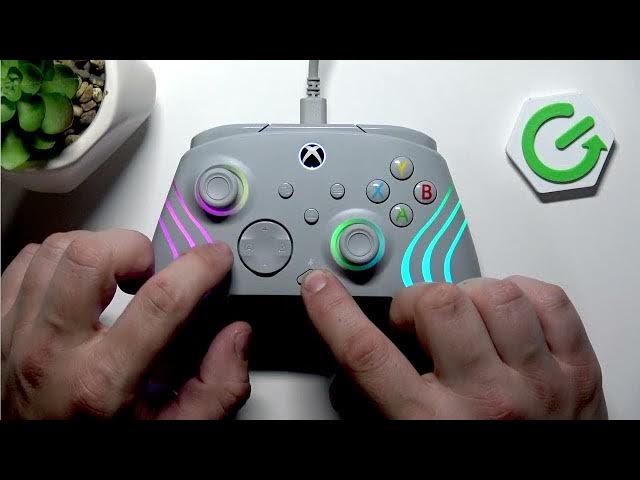

TURTLE BEACH Afterglow Wave - How to Change Game/Chat Balance
Jun 9, 2026

In this short video I show how to change the Game and Voice Chat balance on the TURTLE BEACH Afterglow Wave headset. You will learn which buttons to press and exactly how the adjustment works: press and hold the Function button, then press the left D-pad to shift audio toward the game or press the right D-pad to shift audio toward chat. Increasing one side reduces the other, so you can quickly find the best mix for party chat and gameplay without any app or PC settings.
How to change Game Voice Chat balance on TURTLE BEACH Afterglow Wave?
How to increase Chat Volume on TURTLE BEACH Afterglow Wave?
How to adjust Game/Chat audio balance on TURTLE BEACH Afterglow Wave?
0:00 Intro - what this video covers
0:17 Locate the Function button and D-pad on the Afterglow Wave
0:30 Hold Function + Left D-pad to increase Game audio
0:34 Hold Function + Right D-pad to increase Chat volume
0:38 Quick tip - increasing one lowers the other / Outro
#TurtleBeach #AfterglowWave #GameChatBalance #HeadsetTips
Find out more:
https://www.hardreset.info/devices/turtle-beach/turtle-beach-afterglow-wave/
Follow us on Instagram ► https://www.instagram.com/hardreset.info
Like us on Facebook ► https://www.facebook.com/hardresetinfo/
Tweet us on Twitter ► https://twitter.com/HardResetI
Show More Show Less #Science