
NIKON Z30 - How to Adjust Video Audio Levels
Jun 3, 2026

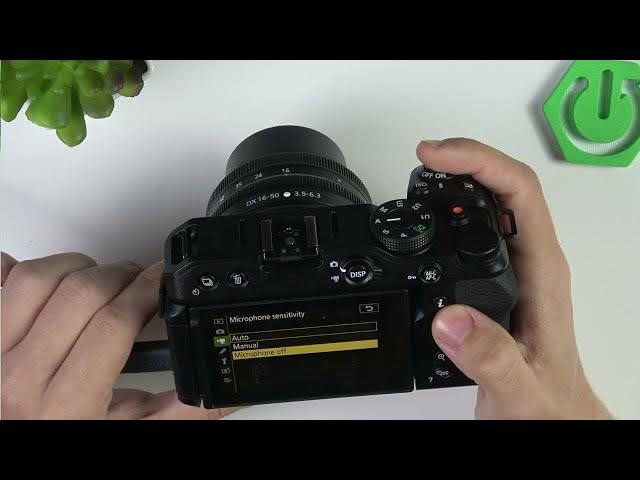
In this short video I show how to adjust video audio levels on the NIKON Z30. You’ll learn where to open the Video Recording menu, how to change Microphone Sensitivity from Auto to Manual, set manual gain values, and enable Wind Noise Reduction so your recordings sound cleaner and more professional for vlogs, interviews and everyday shooting. These simple steps help reduce background noise and get balanced audio levels without extra gear.
How to adjust video audio levels on NIKON Z30?
How to change microphone sensitivity on NIKON Z30 for video recordings?
Where is Wind Noise Reduction on NIKON Z30 and how to enable it?
0:00 Intro - What you will learn
0:10 Open Menu & go to Video Recording
0:20 Find Microphone Sensitivity (Auto / Manual / Off)
0:40 Set manual audio levels and test microphone gain
1:10 Enable Wind Noise Reduction
1:25 Save settings and final tips
#NikonZ30 #Nikon #VideoAudio #CameraTips
Find out more:
https://www.hardreset.info/devices/nikon/nikon-z30/
Follow us on Instagram ► https://www.instagram.com/hardreset.info
Like us on Facebook ► https://www.facebook.com/hardresetinfo/
Show More Show Less #Science