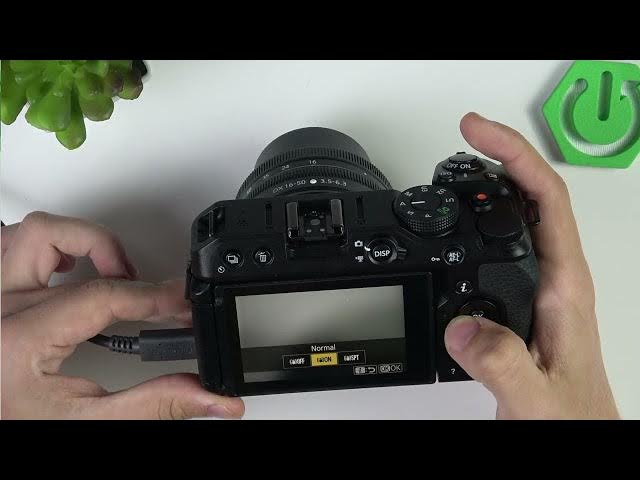

NIKON Z30 – How to Enable Vibration Reduction
Jun 3, 2026

In this short video I show how to enable electronic Vibration Reduction (electronic VR) on the NIKON Z30. You will learn how to open the i button quick menu, find the Vibration Reduction setting and set it to "Support" for stronger stabilization. If the option is not visible in the i menu, the video also shows where to find Vibration Reduction in the Standard Menu under Video recording or Photo shooting. This will help reduce handheld shake for smoother video and better low-light shots on your Nikon Z30.
How to enable electronic Vibration Reduction on NIKON Z30?
How to set Vibration Reduction to Support on NIKON Z30?
Where is Vibration Reduction located in the NIKON Z30 menu?
0:00 Intro
0:05 Open the i button quick menu
0:18 Find Vibration Reduction and set to Support
0:32 Alternative: use Standard Menu → Video/Photo shooting
0:48 Tips, summary and outro
#NikonZ30 #VibrationReduction #CameraStabilization #VideoStabilization
Find out more:
https://www.hardreset.info/devices/nikon/nikon-z30/
Follow us on Instagram ► https://www.instagram.com/hardreset.info
Like us on Facebook ► https://www.facebook.com/hardresetinfo/
Tweet us on Twitter ► https://twitter.com/HardResetI
Show More Show Less #Science