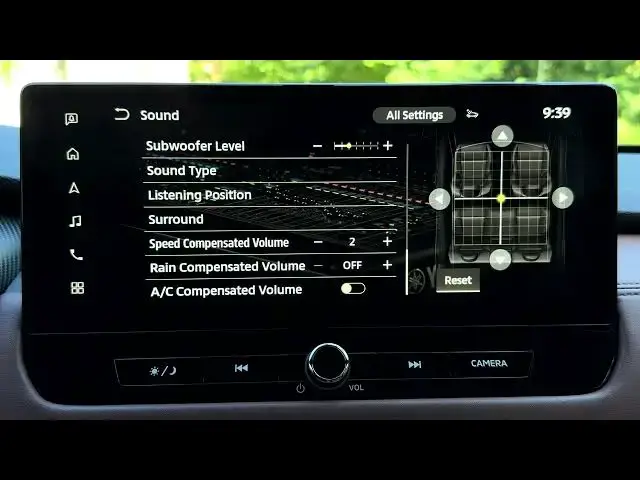

MITSUBISHI Outlander IV – How to Adjust Speed Compensated Volume
Jun 30, 2026

In this short video we show how to adjust the speed compensated volume on your MITSUBISHI Outlander IV. You will learn where to find the setting from the home screen, how to open Settings → Sound & Tones → Sound, and how to choose the numeric level (Off–5). Setting the speed compensated volume makes the audio automatically raise at higher speeds and lower when you stop, helping to counter road and wind noise for a more consistent listening level while driving.
How to adjust speed compensated volume on MITSUBISHI Outlander IV?
How to find Speed Compensated Volume setting on MITSUBISHI Outlander IV?
How to set speed compensated volume level in Outlander IV (Off to 5)?
0:00 Intro
0:05 Open home screen and tap Settings
0:16 Select Sound & Tones
0:26 Enter Sound and scroll to Speed Compensated Volume
0:30 What Speed Compensated Volume does
0:56 Choose level (Off–5) and save
1:06 Recommended setting and closing
#MITSUBISHI #OutlanderIV #SpeedCompensatedVolume #CarAudio
Find out more:
https://www.hardreset.info/devices/mitsubishi/mitsubishi-outlander-iv/
Follow us on Instagram ► https://www.instagram.com/hardreset.info
Show More Show Less #Science