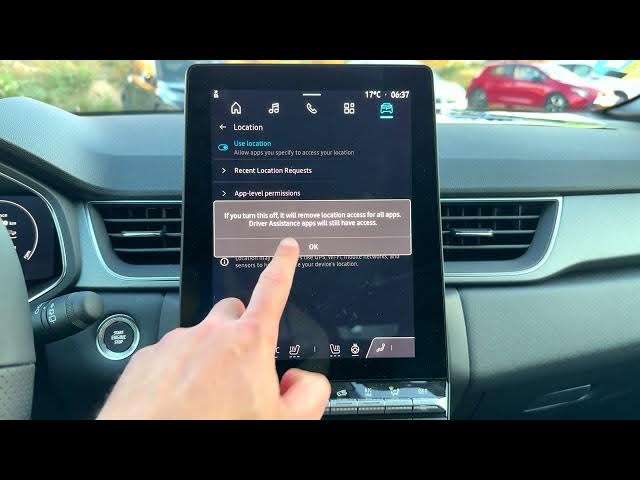

Renault Captur – How to Adjust Location Settings
Jun 5, 2026

In this video we show how to change and manage location settings on a Renault Captur so your apps get the right access. You will learn where to find Location in the car's infotainment settings, how to turn "Use location" on or off, how to view recent location requests, and how to set app-level permissions (Allowed all the time, Allowed only while in use, or Not allowed). We cover examples like Google Maps, Google Assistant, Android Auto, Apple CarPlay, Waze and media apps so you can control privacy and GPS behavior in your Captur.
How to change location settings on Renault Captur?
How to allow Google Maps location access on Renault Captur?
Where is the location permission menu in Renault Captur settings?
0:00 Intro – What we will change
0:05 Open the Home screen and tap Apps icon
0:15 Scroll to Settings and open Settings
0:26 Select Location to open location options
0:32 Toggle "Use location" on or off
0:54 View Recent location requests (Google Maps, Google Assistant, etc.)
1:04 Change App-level permissions: Always, While in use, Not allowed
1:40 Examples and quick recap
#RenaultCaptur #LocationSettings #CarInfotainment #GPS
Find out more:
https://www.hardreset.info/devices/renault/renault-captur/
Show More Show Less #Science