
Renault Captur – How to Change Parking Sensor Volume & Sound
Jun 5, 2026

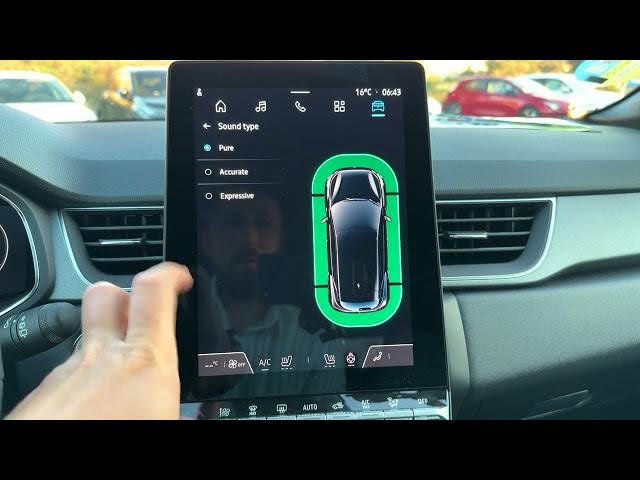
In this short video I show how to change the volume and sound type of the parking sensors on a Renault Captur. You will learn how to open the car settings from the home screen, go to Driving Assistance, select Parking, choose the sound type (Pure, Accurate, Expressive) and set the sensor volume level from 1 to 5. These quick steps help you make parking alerts louder or quieter and pick the tone that suits you best.
How to change parking sensor volume on Renault Captur?
How to change parking sensor sound type on Renault Captur?
Where is the parking sensor setting on Renault Captur?
0:00 Intro – what we will change
0:06 Open the home screen and tap the car icon (upper right)
0:20 Select Driving Assistance
0:24 Choose Parking in the top menu
0:32 Sensors overview and sound type options (Pure, Accurate, Expressive)
0:51 Change volume level (1–5)
1:04 Wrap up and subscribe
#RenaultCaptur #ParkingSensors #CarSettings #HowTo
Find out more:
https://www.hardreset.info/devices/renault/renault-captur/
Follow us on Instagram ► https://www.instagram.com/hardreset.info
Show More Show Less #Science