
Renault Captur – How to Reset App Preferences
Jun 5, 2026

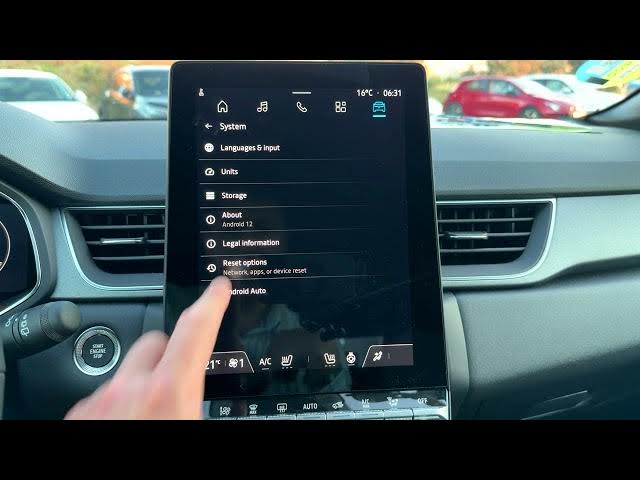
In this video we show how to reset App Preferences on the Renault Captur infotainment system. You will learn how to find the Apps menu, open Settings, go to System → Reset Options and choose Reset App Preferences. This clears disabled apps, disabled app notifications, default apps for actions, background data restrictions and permission limits without deleting any app data. Follow the steps to restore app defaults and fix notification or permission problems on your Renault Captur.
How to reset app preferences on Renault Captur infotainment system?
How to restore default app settings on Renault Captur?
Where is Reset App Preferences in Renault Captur system?
0:00 Intro and overview
0:04 Open Renault Captur home screen and go to Apps
0:19 Select Settings from the Apps list
0:24 Open System in Settings
0:30 Go to Reset Options
0:35 Choose Reset App Preferences
0:42 What is reset and what stays (no app data lost)
0:59 Confirm Reset Apps and finish
#RenaultCaptur #Infotainment #ResetAppPreferences #CarTech
Find out more:
https://www.hardreset.info/devices/renault/renault-captur/reset-app-preferences/
Show More Show Less #Science