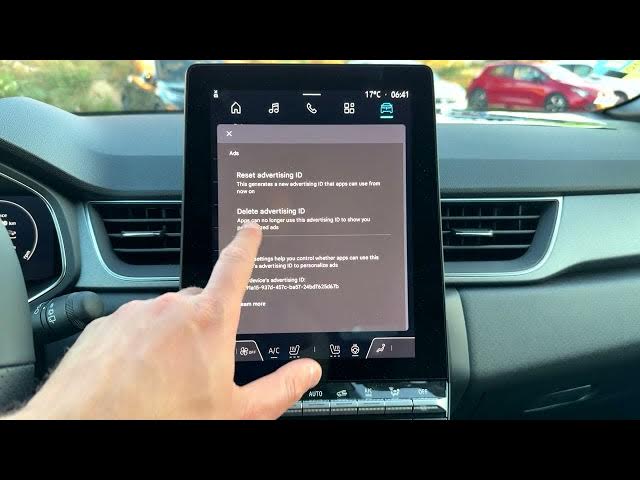

Renault Captur – How to Delete Advertising ID
Jun 5, 2026

In this short video I show how to delete the Advertising ID on a Renault Captur. You will learn how to open the home screen, go to Apps, enter Settings, open Privacy → Ads, and tap Delete Advertising ID. I also explain what deleting the advertising id does to personalized ads and how to re-enable a new advertising id if you change your mind. This is a quick privacy tweak for Renault Captur owners who want fewer personalized ads in their car infotainment system.
How to delete advertising id on Renault Captur?
How to reset advertising id on Renault Captur?
Where is Ads setting in Renault Captur infotainment?
0:00 Intro
0:05 Open the home screen and tap Apps
0:15 Open Settings and go to Privacy
0:30 Open Ads and tap Delete Advertising ID
0:41 What deleting the advertising id changes (personalized ads explained)
1:14 How to enable a new advertising id again
1:21 End and subscribe for more car tech tips
#RenaultCaptur #AdvertisingID #CarPrivacy #Infotainment
Find out more:
https://www.hardreset.info/devices/renault/renault-captur/
Follow us on Instagram ► https://www.instagram.com/hardreset.info
Show More Show Less #Science