
Renault Captur – How to Change Balance and Fader
Jun 5, 2026

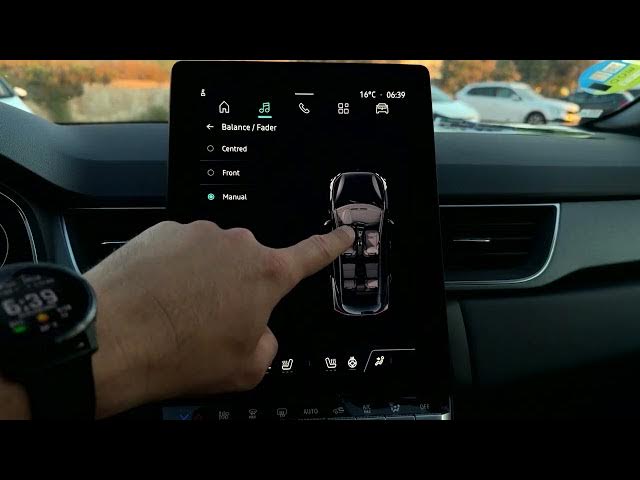
In this short video I show how to change the audio balance and fader on the Renault Captur. You'll learn how to open the music menu, tap the adjustment button, select Balance & Fader, choose Center/Front or Manual and use the slider to move sound to the driver's seat, passenger or rear. These quick steps help you customize stereo imaging, improve listening position and reset to default when needed. Renault Captur audio settings made simple and easy to follow.
How to change balance and fader on Renault Captur?
How to find the Balance & Fader setting on Renault Captur?
How to reset audio balance and fader to center on Renault Captur?
0:00 Intro – what we will adjust
0:03 Press the Music button to open the audio menu
0:16 Tap the Adjustment button (top right)
0:23 Select "Balance and Fader"
0:29 Choose Center or Front, or switch to Manual
0:38 Use the slider to move sound to driver, passenger or rear
0:57 Tap Center to reset to default
1:01 Outro & subscribe
#RenaultCaptur #CarAudio #BalanceFader #Renault
Find out more:
https://www.hardreset.info/devices/renault/renault-captur/
Show More Show Less #Science