
Renault Captur – All Welcome Features & How to Enable Them
Jun 5, 2026

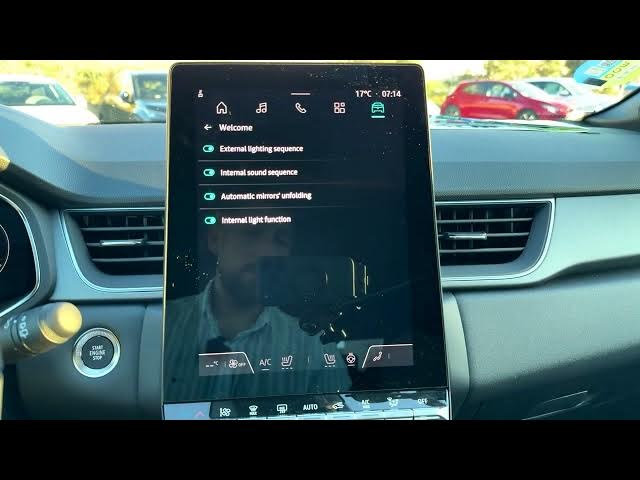
In this short video I show all welcome features on the Renault Captur and how to enable or disable them. You’ll see exactly where to find these settings on the car screen and how to toggle each option. I cover the external lighting sequence, interior sound sequence, automatic mirrors unfolding and the internal light function. These welcome options improve convenience and visibility when approaching or leaving the car — follow along to set them the way you like on your Renault Captur.
How to enable welcome features on Renault Captur?
How to turn on external lighting sequence on Renault Captur?
How to enable automatic mirrors unfolding on Renault Captur?
0:00 Intro – Renault Captur welcome features
0:03 Open home screen and tap the car icon (upper right)
0:15 Select Vehicle, then go to the Outside tab
0:26 Welcome options overview: external lighting, interior sound, mirrors, internal lights
0:42 Choose your preferred settings (I leave all enabled)
0:49 Outro – thanks for watching, please subscribe
#RenaultCaptur #CarFeatures #WelcomeLights #CarTips
Find out more:
https://www.hardreset.info/devices/renault/renault-captur/
Follow us on Instagram ► https://www.instagram.com/hardreset.info
Like us on Facebook ► https://www.facebook.com/hardresetinfo/
Show More Show Less #Science