
Renault Captur – How to Adjust Homescreen & Edit Widgets
Jun 5, 2026

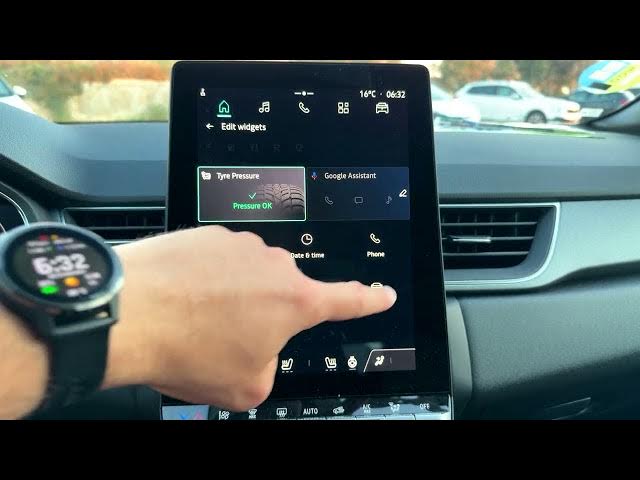
In this short video I show how to adjust the homescreen and edit widgets on the Renault Captur infotainment system. You will learn where to open the vehicle settings, how to go to the Cockpit tab and select Edit Widgets, and how to swap widgets like audio, phone, date & time or Google Assistant so your homescreen shows the info you use most. This quick, step-by-step walk-through makes it easy to personalize your Renault Captur display even if you are new to the system.
How to adjust homescreen on Renault Captur?
How to edit widgets on Renault Captur infotainment?
Where is the Edit Widgets option in Renault Captur?
0:00 Introduction
0:07 Open the car icon and choose Vehicle
0:21 Go to Cockpit tab and select Edit Widgets
0:34 Edit left widget – choose Audio, Phone, Date & Time, Tire Pressure or Vehicle
0:59 Edit right widget – set Google Assistant or Date & Time
1:23 Go back and check the new homescreen layout
1:31 Wrap up and subscribe
#RenaultCaptur #CarWidgets #Homescreen #CarTips
Find out more:
https://www.hardreset.info/devices/renault/renault-captur/
Follow us on Instagram ► https://www.instagram.com/hardreset.info
Show More Show Less #Science