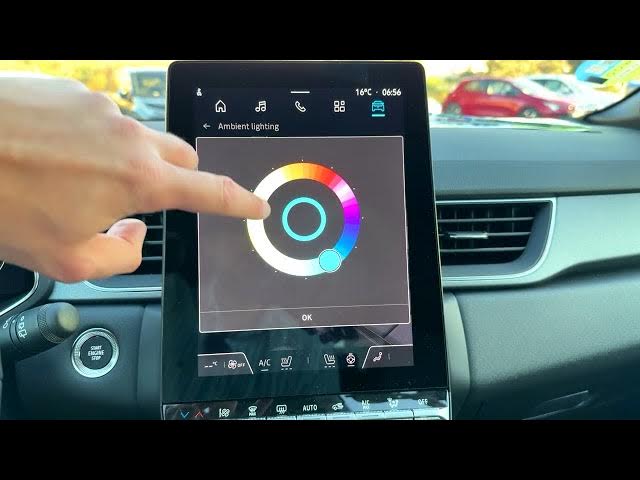

Renault Captur - How to Change Ambient Lighting
Jun 5, 2026

In this short video I show how to manage the ambient lighting on the Renault Captur. You will learn where to find the ambient lighting setting, how to choose the "Changing" mode that adapts the color to the time of day, and how to use the "Personal" mode with the 48-color palette and eyedropper to pick a custom cabin color. I demonstrate opening the home screen, tapping the car icon, selecting Configure, then Live on Board → Ambient lighting so you can quickly customize the interior mood of your Renault Captur.
How to change ambient lighting on Renault Captur?
How to set personal ambient lighting on Renault Captur?
Where is the ambient lighting setting in Renault Captur?
0:00 Intro
0:05 Open the home screen and tap the car icon (upper right)
0:16 Select Configure and go to Live on Board
0:28 Choose Ambient lighting and view the two modes
0:44 Personal mode: use the 48-color palette and eyedropper
1:02 Changing mode: automatic color by time of day
1:07 Save selection and outro
#RenaultCaptur #AmbientLighting #CarTips #Renault
Find out more:
https://www.hardreset.info/devices/renault/renault-captur/
Follow us on Instagram ► https://www.instagram.com/hardreset.info
Show More Show Less #Science