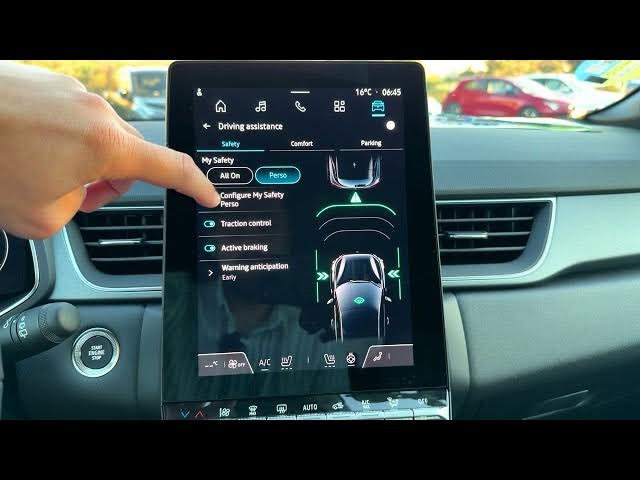

Renault Captur - How to Disable Driving Monitor Alert
Jun 5, 2026

In this short video we show how to disable the driving monitor alert on the Renault Captur. Follow the infotainment steps from the home screen: open the car menu, select Driving Assist, go to Safety → My Safety → Configure My Safety, then toggle off the Driver Monitor monitoring alert. This quick walkthrough lets you turn the alert off and shows how to re-enable it later if you change your mind. The steps match the Renault Captur infotainment layout and are ideal for owners who want to adjust driving assist notifications.
How to disable the driving monitor alert on Renault Captur?
How to find the Driver Monitor setting in Renault Captur infotainment?
How to turn off driving monitor alert on Renault Captur step by step?
0:00 Introduction
0:04 Open the home screen and tap the car icon
0:16 Select Driving Assist
0:31 Go to Safety → My Safety → Configure My Safety
0:39 Disable the Driver Monitor (monitoring) alert
1:02 Notes on re-enabling the feature
1:08 End and subscribe
#RenaultCaptur #DrivingAssist #DriverMonitor #CarSettings
Find out more:
https://www.hardreset.info/devices/renault/renault-captur/
Follow us on Instagram ► https://www.instagram.com/hardreset.info
Show More Show Less #Science