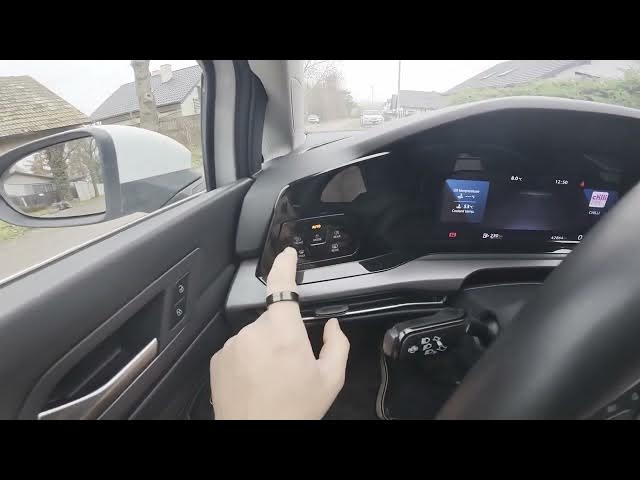

VOLKSWAGEN Golf VIII (2019-now) – How to Enable or Disable Dipped Beam
Jan 15, 2026

In this short video you will learn how to enable and disable the dipped beam (low beam) on a VOLKSWAGEN Golf VIII (2019 - now). I show the exact location of the control panel behind the left side of the steering wheel and the simple button press you need to toggle the dipped beam on or off. This quick, practical walkthrough is perfect for new owners and anyone who needs a fast reminder on how to control the headlights on Golf 8.
How to enable or disable dipped beam on Volkswagen Golf VIII (2019 - now)?
How to turn on low beam on VW Golf 8?
Where is the dipped beam button on Volkswagen Golf VIII (Golf 8)?
0:00 Intro and overview
0:07 Look behind the left side of the steering wheel to find the panel
0:14 Press the MODE button to enable dipped beam
0:19 Dipped beam is enabled — how to disable and quick tip
0:30 End and subscribe reminder
#Volkswagen #GolfVIII #DippedBeam #CarTips
Find out more:
https://www.hardreset.info/devices/volkswagen/volkswagen-golf-viii-2019-now/how-to-enable-disable-dipped-beam/
Follow us on Instagram ► https://www.instagram.com/hardreset.info
Like us on Facebook ► https://www.facebook.com/hardresetinfo/
Tweet us on Twitter ► https://twitter.com/HardResetI
Show More Show Less