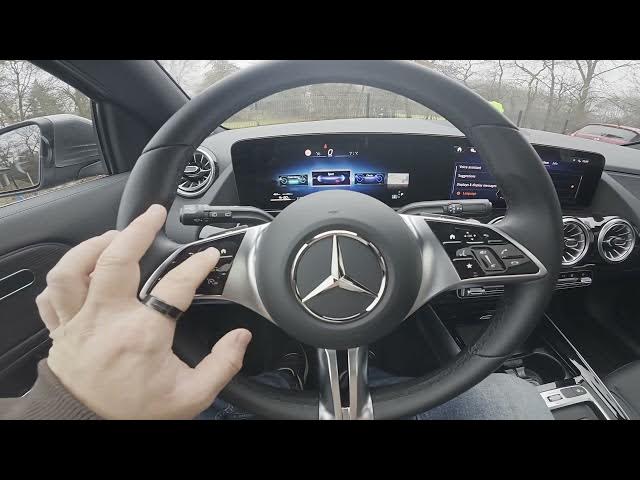

MERCEDES-BENZ EQA – How to Enter Sport Instrument Cluster Mode
Jan 2, 2026

Learn how to open and use the Sport Instrument Cluster on the MERCEDES-BENZ EQA. In this short video you will see how to access the Sport view, what each readout shows, and how to manage g-force, range, trip info, battery level, recuperation and torque. Follow simple on-screen steps (press the Home button and swipe right) and learn how to reset your range and read the performance data in the Sport Instrument Cluster on your Mercedes EQA. This guide is ideal for new owners and drivers who want to understand the Sport display quickly and clearly.
How to enter Sport Instrument Cluster on MERCEDES-BENZ EQA?
How to view g-force and torque in MERCEDES-BENZ EQA Sport Instrument Cluster?
How to reset the range on MERCEDES-BENZ EQA Sport Instrument Cluster?
0:00 Intro
0:10 Open instrument cluster & enter Sport mode (press Home, swipe right)
0:24 Sport Instrument Cluster overview — g-force, range, trip, battery, recuperation, torque
0:43 How to reset the range (press OK)
0:54 Outro / Like & subscribe
#MercedesBenz #EQA #InstrumentCluster #SportMode
Find out more:
https://www.hardreset.info/devices/mercedes-benz/mercedes-benz-eqa/how-to-enter-sport-instrument-cluster-mode/
Follow us on Instagram ► https://www.instagram.com/hardreset.info
Like us on Facebook ► https://www.facebook.com/hardresetinfo/
Tweet us on Twitter ► https://twitter.com/HardResetI
Show More Show Less #Autos & Vehicles
#Motor Vehicles (By Brand)