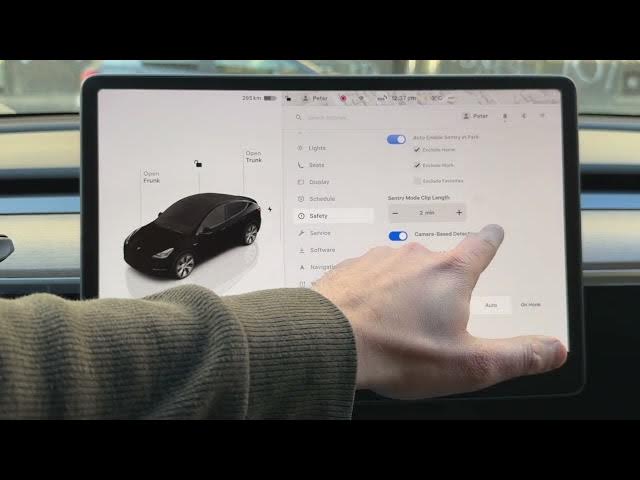

TESLA Model Y – How to Enable Camera-Based Detection (Sentry Mode)
Jan 19, 2026

In this short video I show how to enable Camera-Based Detection in Sentry Mode on a TESLA Model Y and explain why you should consider turning it on. You’ll see where the setting is in the car menu, how Tesla uses its external cameras and AI to detect people lingering near your vehicle, and what changes if you disable the feature. This improves early detection of security events and helps capture more useful clips to your USB drive.
How to enable Camera-Based Detection on TESLA Model Y?
How to access Camera-Based Detection settings on TESLA Model Y Sentry Mode?
How does Camera-Based Detection work in Tesla Sentry Mode and what does it record?
0:00 Intro - Why Camera-Based Detection matters
0:10 Open the car menu and go to Safety
0:18 Locate the Camera-Based Detection option
0:45 What Camera-Based Detection does (AI + external cameras)
1:09 What happens if you disable camera detection
1:35 Conclusion & recommendation
#Tesla #ModelY #SentryMode #CameraBasedDetection
Find out more:
https://www.hardreset.info/devices/car/car-tesla/
Follow us on Instagram ► https://www.instagram.com/hardreset.info
Like us on Facebook ► https://www.facebook.com/hardresetinfo/
Show More Show Less #Autos & Vehicles
#Motor Vehicles (By Type)
#Science
#Tesla Motors