
MOTOROLA Edge 70 Pro – How to Add Fingerprint
Jun 10, 2026

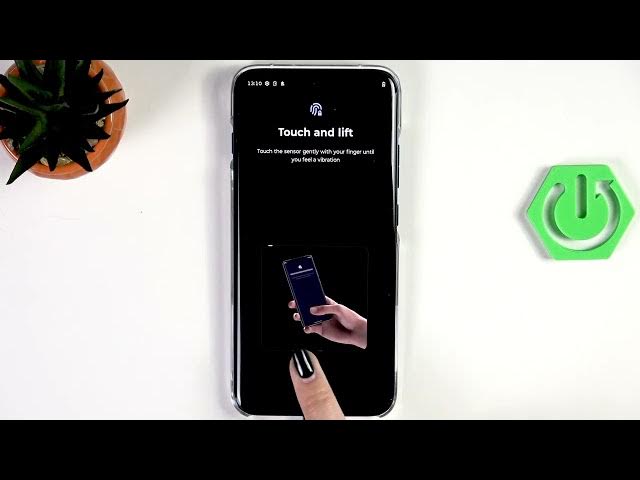
Learn how to add a fingerprint on your MOTOROLA Edge 70 Pro step by step. In this video we open Settings, go to Security & privacy, then Device unlock → Face and fingerprint unlock. If you don’t have a screen lock yet you’ll be asked to add one (pattern, PIN or password). Next we set up the in-screen fingerprint sensor, capture multiple scans by changing the finger position for full coverage, then finish and test unlocking from the lock screen. You’ll also see how to rename or remove a saved fingerprint and change the unlock animation style. This quick, clear guide helps you set up reliable fingerprint unlock and improve device security on your MOTOROLA Edge 70 Pro.
How to add fingerprint on MOTOROLA Edge 70 Pro?
How to set up fingerprint unlock on MOTOROLA Edge 70 Pro?
Where is the fingerprint sensor on MOTOROLA Edge 70 Pro?
0:00 Intro
0:07 Open Settings and find Security & privacy
0:21 Device unlock → Face and fingerprint unlock
0:28 Add or confirm screen lock (pattern/PIN/password)
0:52 Tap Setup and place finger on the sensor
1:04 Scan multiple times and change finger position
1:41 Finish, rename or remove fingerprint, change animation
2:02 Lock screen test — unlock with fingerprint
2:29 Outro and tips
#MOTOROLA #Edge70Pro #Fingerprint #AndroidSecurity
Find out more:
https://www.hardreset.info/devices/motorola/motorola-edge-70-pro/add-fingerprint/
Show More Show Less #Science