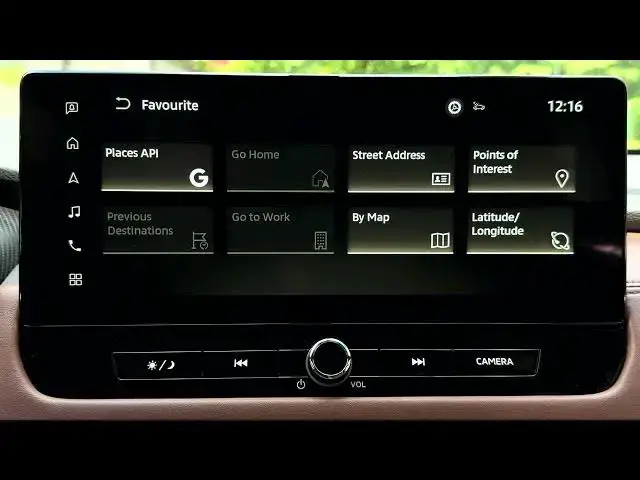

MITSUBISHI Outlander IV – How to Save Favourite Address
Jun 30, 2026

In this video I show how to save a favourite address on the MITSUBISHI Outlander IV navigation system. You will learn how to open the home screen, access the Navigation button on the left, go to Settings → Edit User Info, and use the Favourites menu to add a new place. The nav supports searching by street address, postcode/city, or point of interest (Google API), so you can quickly save your home, gym, cafe or other frequently visited locations for one-tap routing and faster access while driving.
How to save favourite address on MITSUBISHI Outlander IV?
How to add a favourite place in MITSUBISHI Outlander IV navigation?
Where is the favourites menu in MITSUBISHI Outlander IV navigation?
0:00 Intro – What we will do
0:02 Open home screen and select Navigation (left side)
0:13 Settings → Edit User Info
0:24 Open Favourites – why favourites are useful
0:53 Add new favourite – search by address or POI
1:14 Example – save a coffee shop as favourite
1:22 Done – confirm saved favourite and outro
#MITSUBISHI #OutlanderIV #Navigation #CarTech
Find out more:
https://www.hardreset.info/devices/mitsubishi/mitsubishi-outlander-iv/
Follow us on Instagram ► https://www.instagram.com/hardreset.info
Show More Show Less #Science