
MITSUBISHI Outlander IV - How to Use Split Screen Map Layout
Jun 30, 2026

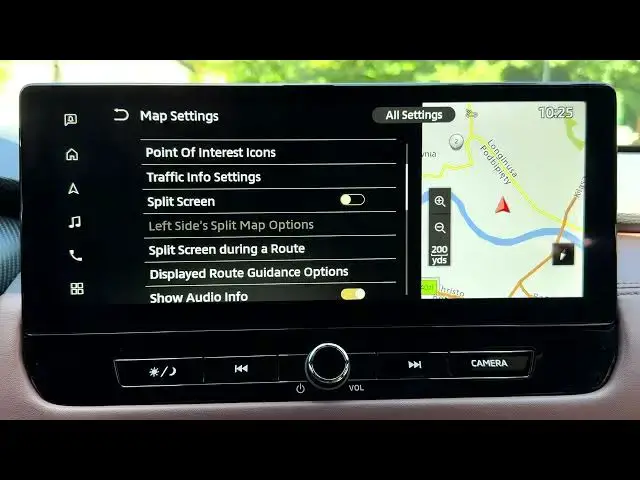
This video shows how to use the split screen map layout on the MITSUBISHI Outlander IV navigation system. Starting from the home screen, you will learn how to open Navigation, go to Settings → Map Settings, enable Split Screen and configure the left-side panel for an overview map, turn-by-turn list, or compass. We also show how to go back to a single map by disabling the feature. Clear, step-by-step instructions make it easy to customize the map layout for better driving and route awareness.
How to enable split screen map layout on MITSUBISHI Outlander IV navigation?
How to configure left split map options on MITSUBISHI Outlander IV?
How to disable split screen on MITSUBISHI Outlander IV navigation?
0:00 Intro - what we will show
0:03 Open Home and select Navigation
0:11 Navigation settings - open Map Settings
0:23 Enable Split Screen option
0:35 Configure left split options: overview, turn-by-turn, compass
0:48 See the two side-by-side map views in Navigation
1:02 Disable Split Screen to return to single map
1:15 End and subscribe
#MITSUBISHIOutlanderIV #SplitScreen #CarNavigation #MapLayout
Find out more:
https://www.hardreset.info/devices/mitsubishi/mitsubishi-outlander-iv/
Show More Show Less #Science