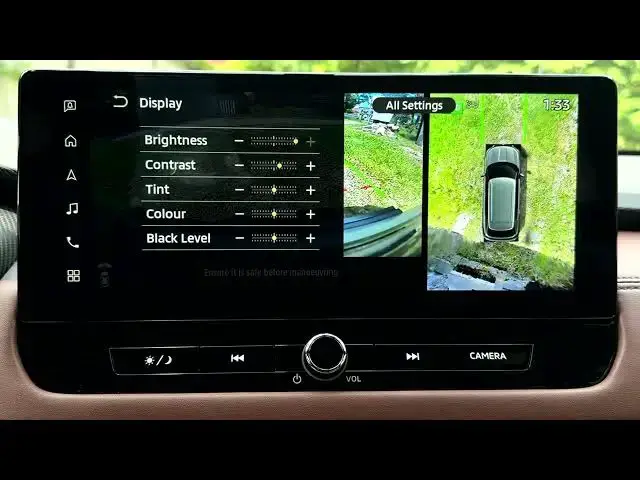

MITSUBISHI Outlander IV – How to Fix Washed-Out Camera Colours
Jun 30, 2026

In this short video you will learn how to fix washed-out camera colours on the MITSUBISHI Outlander IV. I show where to go from the home screen into Settings, how to open Camera → Display settings, and which controls (brightness, contrast, tint and color/saturation) change the video feed colours. Follow the steps and try medium color/saturation to restore natural greens and parking-line yellows on your camera view.
How to fix washed-out camera colours on MITSUBISHI Outlander IV?
How to change camera color saturation on MITSUBISHI Outlander IV?
How to access camera display settings on MITSUBISHI Outlander IV?
0:00 Introduction
0:03 Open the home screen and select Settings
0:13 Open Camera settings (swipe if needed)
0:20 Go to Display settings
0:28 Adjust Brightness, Contrast, Tint and Color/Saturation
0:47 Test and choose preferred color level (Medium recommended)
0:57 Outro and subscribe
#MITSUBISHIOutlanderIV #OutlanderIV #CarCamera #CameraColours
Find out more:
https://www.hardreset.info/devices/mitsubishi/mitsubishi-outlander-iv/
Follow us on Instagram ► https://www.instagram.com/hardreset.info
Show More Show Less #Science