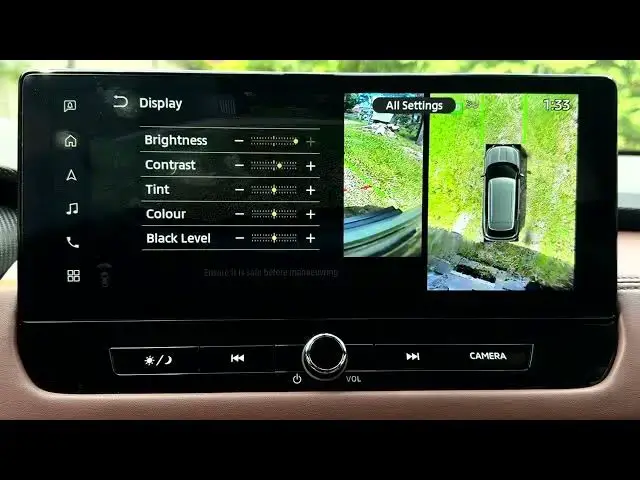

MITSUBISHI Outlander IV – How to Fix Washed-Out Camera Colours
Jun 30, 2026

In this short video I show how to fix washed-out camera colours on the MITSUBISHI Outlander IV by adjusting the in-car camera display settings. You will learn how to open Settings from the home screen, find Camera → Display settings (Brightness, Contrast, Tint, Color/saturation) and change the color level so the image looks more natural. This quick tweak makes grass, parking lines and other scene colors more vivid and improves visibility when reversing or parking.
How to fix washed out camera colours on MITSUBISHI Outlander IV?
How to change camera color or saturation on MITSUBISHI Outlander IV?
Where are the camera display settings on MITSUBISHI Outlander IV?
0:00 Intro – problem overview
0:03 Open Settings from the home screen
0:13 Select Camera settings (swipe if needed)
0:20 Open Display settings: Brightness, Contrast, Tint, Color
0:28 Adjust Color (saturation) — what it does
0:46 Choose the best level (example: medium)
0:57 Outro and subscribe
#MITSUBISHI #OutlanderIV #CarCamera #CameraColors
Find out more:
https://www.hardreset.info/devices/mitsubishi/mitsubishi-outlander-iv/
Follow us on Instagram ► https://www.instagram.com/hardreset.info
Show More Show Less #Science