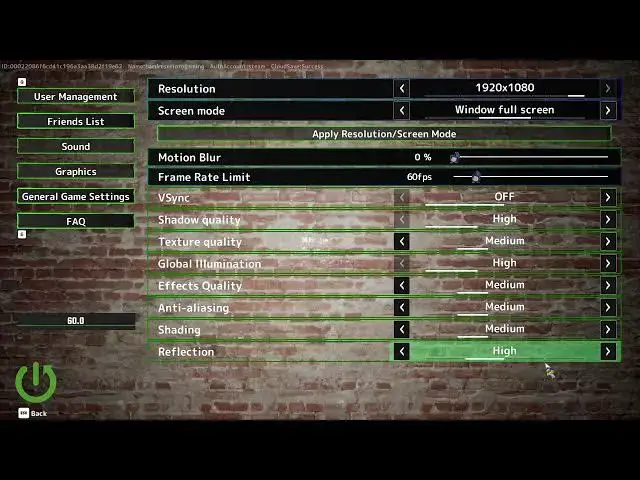

MECCHA CHAMELEON - How to Change the Reflection Quality
Jun 17, 2026

Learn how to change the reflection quality in MECCHA CHAMELEON to find the right balance between visual fidelity and FPS. In this short video we open the Settings menu, go to Graphics, then scroll to the Reflection Quality option at the bottom. You can pick one of the presets: Medium, High, Highest or Sub-zero. I explain how each preset affects performance and show how to apply the change and exit the menu. This quick walkthrough is perfect if you want better visuals or need to boost FPS on slower systems.
How to change reflection quality in MECCHA CHAMELEON?
How to set reflections to Medium, High, Highest or Sub-zero in MECCHA CHAMELEON?
How to reduce FPS impact from reflections in MECCHA CHAMELEON?
0:00 Introduction
0:06 Open Settings menu
0:14 Navigate to Graphics
0:17 Find Reflection Quality at the bottom
0:24 Choose a preset: Medium / High / Highest / Sub-zero
0:40 Performance tip: pick Medium to improve FPS
0:51 Apply changes and exit
0:54 Outro and subscribe
#MechaChameleon #ReflectionQuality #GraphicsSettings #GameSettings
Find out more:
https://www.hardreset.info/devices/game/game-meccha-chameleon/
Show More Show Less #Science