
MITSUBISHI Outlander IV – How to Customize Map Scrolling Details
Jun 30, 2026

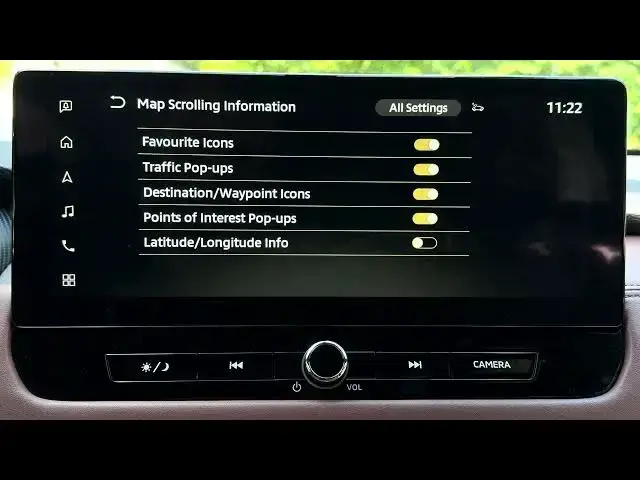
In this video I show how to customize the map scrolling details on the MITSUBISHI Outlander IV navigation system. You'll see how to open Navigation from the home screen, enter Settings, find Map Settings and access Map Scrolling Information. Follow the steps to enable or disable favorite icons, traffic pop-ups, destination waypoints, points of interest pop-ups and latitude/longitude info so the map only shows the details you want while swiping and scrolling.
How to customize scrolling details on MITSUBISHI Outlander IV navigation system?
How to enable or disable Map Scrolling Information on MITSUBISHI Outlander IV?
Where is Map Scrolling Information in the MITSUBISHI Outlander IV menu?
0:00 Intro
0:10 Open Navigation from home screen
0:17 Enter Navigation Settings
0:28 Open Map Settings and scroll to Map Scrolling Information
0:39 Toggle favorites, traffic, waypoints, POI pop-ups and coords
1:06 Wrap up and quick tips
#MITSUBISHIOutlander #OutlanderIV #CarNavigation #MapSettings
Find out more:
https://www.hardreset.info/devices/mitsubishi/mitsubishi-outlander-iv/
Follow us on Instagram ► https://www.instagram.com/hardreset.info
Like us on Facebook ► https://www.facebook.com/hardresetinfo/
Show More Show Less #Science