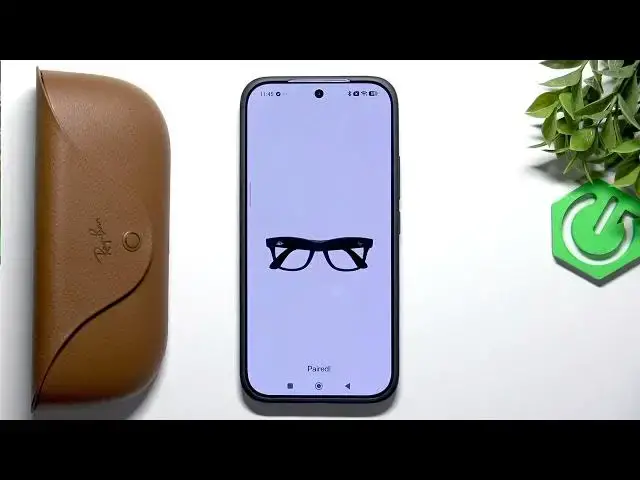
0:00
Hello everybody. Welcome back to 37 info
0:03
channel. In today's video, I'll show you
0:04
how to fix Bluetooth that keeps
0:06
disconnecting on your Rayban Meta Wafer.
0:14
First, what you guys want to do is
0:15
repair it from the app. So, we're going
0:17
to go over and open up the Meta AI app.
0:21
Now, here we will have our glasses. And
0:23
what we want to do here is we want to
0:25
click on the gear icon. Now, go to
0:27
general. and here click on unpair
0:30
glasses. Now we want to click unpair and
0:34
what are we going to do now is not leave
0:36
the app entirely but we need to go into
0:38
the settings and here in the settings we
0:40
need to go to Bluetooth. Now here we
0:42
have our Raybands meta. We're going to
0:44
tap on them and click on pair.
0:47
Now we're going to click done right here
0:50
and they're gone from our app. So now
0:52
what we want to do is we want to grab
0:54
our box and repair them. So, press and
0:57
hold the button on the back until the
1:00
LED here is um pulsing blue. So, now it
1:04
is. We're going to click add glasses.
1:06
And our glasses are the first choice
1:08
right here. We're going to click blue
1:10
LED turned on. And it's searching for
1:12
them. So, uh here we're going to click
1:15
on it. Now, it is pairing and we're
1:17
going to allow access to the call and
1:21
Now, as you guys can see, soon the
1:24
process should be over.
1:28
So, they are paired. And now, of course,
1:31
we already know how to use them. So,
1:33
we're going to skip it here. We can uh
1:36
set up our voice controls again if you
1:38
use them. If not, you can skip this,
1:40
too. And as you guys can see, we got
1:43
them back in the app. So, if that did
1:45
not work for you, if there are still um
1:49
still randomly disconnecting, what are
1:51
we going to do is we're going to clear
1:52
the app cache. So, first we're going to
1:55
go to settings. Now, here in the
1:57
settings, um it all depends on the phone
1:59
you use, but I need to go to apps. And
2:02
here we need to search for Meta AI. So,
2:06
here we got Meta AI. Now here um we got
2:09
the storage, we got the cache and here
2:12
we can clear the data but we are
2:16
and just getting rid of everything. So
2:19
once you clear the data some phones have
2:22
an option to um clear um the cache like
2:26
here we're going to clear the cache. If
2:28
you cannot you can clear the data but
2:30
then remember you will have to log in to
2:32
the app again. And now after clearing
2:35
the cache, we're going to go back and
2:39
here we're going to go to settings. In
2:41
the settings, we want to go to media.
2:44
And here we also want to clear cash from
2:46
our um glasses. Now, what are we going
2:50
to do next is we're going to go back
2:51
into the settings. And here we have
2:54
something um like pause app activity if
2:57
unused. So, I would recommend turning it
2:59
off. We want to make sure that the um
3:02
battery optimization is not for our app.
3:08
Now we're going to go and remove any
3:10
restriction. So for me it's in the
3:12
battery and then I choose Meta AI. Here
3:16
I have battery saver and of course make
3:18
sure that it says no restrictions so it
3:20
doesn't restrict the app activity. We
3:22
want to have it always on. And after
3:26
that, as a last resort, what you guys
3:28
can do is simply update your software on
3:31
your glasses. So, go to the device
3:34
settings right here. Again, the gear
3:36
icon updates and check. Now, my glasses
3:40
are up to date, but if yours aren't,
3:42
then I recommend you updating. It's very
3:44
important so that you don't have any
3:45
random disconnections.
3:47
And that's it for the video. I hope it
3:49
was helpful. If it was, then leave a
3:50
like, subscription, and a comment. And
3:52
I'll see you in the next one. Bye.