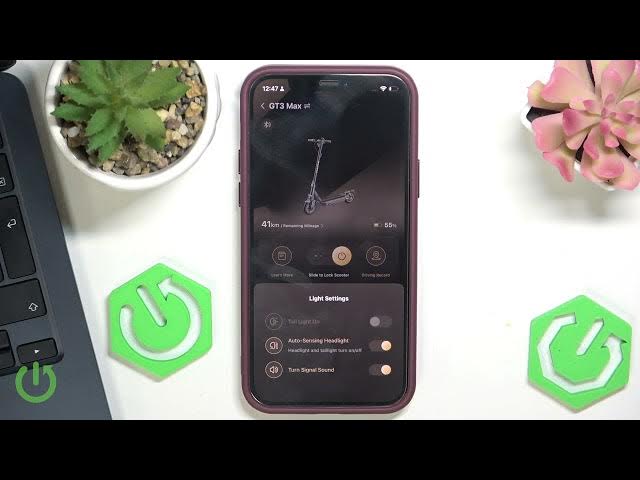

NAVEE GT3 Max – Auto Sensing Headlights Explained
May 28, 2026

In this short video we explain what the auto sensing headlights on the NAVEE GT3 Max do and where to find the setting. You’ll learn how the scooter uses an ambient light sensor to automatically turn the headlight and tail light on or off depending on surrounding brightness. This feature improves safety and convenience by switching lights on at dusk or in dark places and turning them off in bright daylight. We also show exactly where to tap in Light Settings to enable or disable the auto sensing headlight on your NAVEE GT3 Max.
How to enable auto sensing headlights on NAVEE GT3 Max?
How to turn off auto sensing headlights on NAVEE GT3 Max?
How do NAVEE GT3 Max auto sensing lights work?
0:00 Intro – What are auto sensing headlights
0:08 Where to find the setting (Light Settings)
0:18 What the auto sensing headlight does (headlight and tail light)
0:29 How the scooter detects brightness and switches lights
0:44 Summary and final notes
#NAVEEGT3Max #AutoSensingLights #ScooterLights #Headlights
Find out more:
https://www.hardreset.info/devices/navee/navee-gt3-max/
Follow us on Instagram ► https://www.instagram.com/hardreset.info
Like us on Facebook ► https://www.facebook.com/hardresetinfo/
Tweet us on Twitter ► https://twitter.com/HardResetI
Show More Show Less #Science