
MECCHA CHAMELEON - How to Change the Motion Blur Setting
Jun 17, 2026

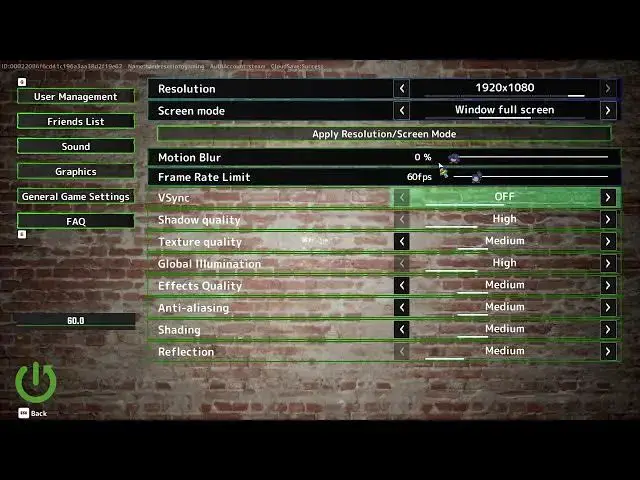
Learn how to quickly change the motion blur setting in MECCHA CHAMELEON. In this short video we open the Settings menu, go to Graphics, locate the Motion Blur option and adjust the intensity from 0% (off) to 100% (full). You’ll see which values reduce blur, why disabling motion blur helps if you get motion sickness, and how turning it off can improve performance and FPS on lower-end systems. This is a fast, clear walkthrough to get the visual result you want in MECCHA CHAMELEON.
How to change motion blur in MECCHA CHAMELEON?
How to turn off motion blur in MECCHA CHAMELEON to reduce motion sickness?
How to adjust graphics settings in MECCHA CHAMELEON for better performance?
0:00 Intro
0:07 Open Settings menu
0:15 Navigate to Graphics
0:18 Locate Motion Blur setting
0:23 Motion Blur scale explained (0–100%)
0:36 Tips: turn off for motion sickness or better performance
0:51 Save changes and exit
0:59 Outro
#MECCHAChameleon #MotionBlur #GraphicsSettings #GamingTips
Find out more:
https://www.hardreset.info/devices/game/game-meccha-chameleon/
Show More Show Less #Science