0:00
Hello. In today's video, I'll show you
0:02
how to take better, sharper portrait
0:14
The first thing is aperture priority
0:16
mode. This mode will make um will let
0:22
you adjust the aperture easily. So, here
0:26
is the aperture. You can adjust it by
0:28
touch or by sliding um I believe this um
0:34
And the lower the aperture is, the more
0:37
light it'll capture, which means it
0:40
lowers the ISO, which is a great option
0:43
because uh the lower the ISO is, the
0:47
less grainy the photo is,
0:50
but it also makes the background
0:54
blurred, which for portraits it may be
0:58
great, but sometimes you may want to
0:59
avoid that. So if you want to avoid
1:01
that, you will need to put the aperture
1:03
higher, but it may make the overall
1:06
photo um grainier. Now I'll try to show
1:13
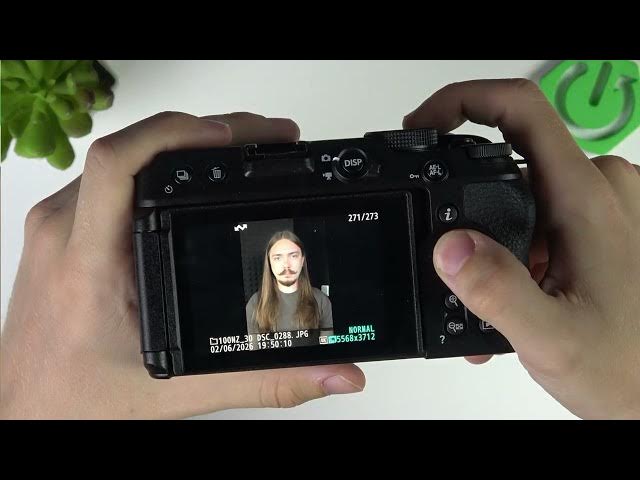
Here is my photo uh with uh
1:18
with higher aperture.
1:25
yeah, here's my photo with higher
1:27
aperture and lower aperture. I know you
1:29
can't see much, but the background is a
1:32
little more more blurred with the lower
1:35
aperture. And uh it's just in depends on
1:39
whether you want the background to be
1:40
blurred or not. Um but remember the
1:44
lower aperture will make better quality
1:46
of uh the foreground and the the higher
1:51
aperture will make everything sharp but
1:56
may make it grainy because the ISO will
1:58
get higher. Now the next thing is um
2:03
I highly recommend for for for portraits
2:06
I recommend 35 or 50 mm. Um, I wouldn't
2:11
do like uh, you know, zoomed out um,
2:15
video uh, photos because um, well,
2:22
it has it has a reason. I'll show you
2:25
the reason right now. So, these are two
2:27
of my photos. This is on uh, 16 mm and
2:32
this is on 50 mm. And you can see this
2:36
is pretty much distorted. The shape of
2:39
my face is uh unproportional. And this
2:42
is how I actually look like. So here's
2:47
between uh it's better to take a
2:50
portraits from further away with a zoom
2:53
than from closer without a zoom. Uh so
2:57
that's uh for sure. Of course, if you
3:01
don't like the effect of 50 mega
3:02
millimeters, you can do 35 mm, but I
3:05
wouldn't do it at 16.
3:08
So, yeah, that is something uh to
3:11
consider. Of course, depends on what
3:12
lens you have. If you have a lens of
3:14
like 50 to 200 and not like I have 16 to
3:18
50, then of course you will adjust it to
3:22
your uh possibilities.
3:26
uh of course and uh yeah so that is the
3:30
thing and then the last thing is the
3:32
autofocus um you can set the manual
3:36
focus but autofocus will be just fine
3:38
just make sure to set it to face so
3:40
click on the I button right here then go
3:43
to um AF area mode and make sure it's uh
3:46
to autofocus uh area auto area autofocus
3:52
uh people like so and then it'll focus
3:55
on the face so you don't have to set the
3:57
focus manually. And I hope that this
3:59
video was helpful. Don't forget to like
4:01
and subscribe and I'll see you in the