Up next in 10


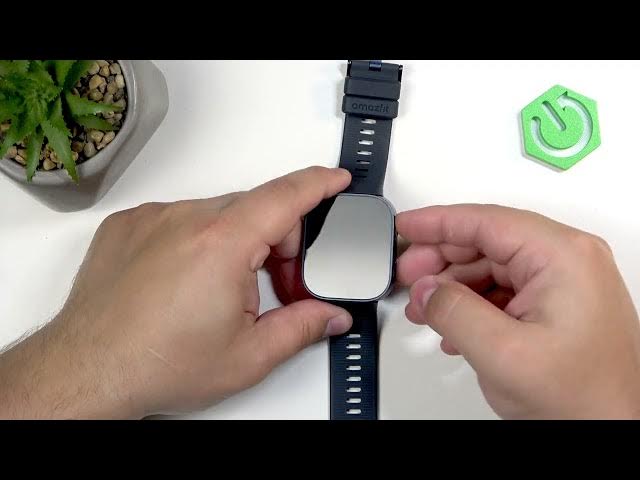
In this video I show six essential settings to change on your AMAZFIT Bip Max watch to improve battery life, convenience and daily use. You will learn how to adjust screen brightness and auto-brightness, change screen timeout durations for general and workout modes, customize shortcut buttons, set sound volumes, enable a Do Not Disturb schedule, and switch color and theme styles. Follow these quick step-by-step tweaks to make your AMAZFIT Bip Max more personal and efficient.
How to change screen brightness on AMAZFIT Bip Max?
How to customize shortcut buttons on AMAZFIT Bip Max?
How to set Do Not Disturb schedule on AMAZFIT Bip Max?
0:00 Intro and overview
0:12 Adjust screen brightness and enable auto-brightness
0:58 Change screen timeout duration (General, Workout, Watch face)
3:23 Customize shortcut buttons (single press, long press, double press)
4:56 Adjust sound volumes (alarm, media, workout, system, voice)
6:04 Set Do Not Disturb schedule and Auto Enable options
7:34 Change screen color style and theme icons
8:11 Outro and subscribe
#AMAZFIT #BipMax #SmartwatchSettings #AMAZFITBipMax
Find out more:
https://www.hardreset.info/devices/amazfit/amazfit-bip-max/6-settings-you-must-change-on-your-watch/
Show More Show Less View Video Transcript
0:00
Hello everyone and welcome back to our
0:02
channel. In front of me I have amazed
0:04
BIP Max and in today's video I'm going
0:06
to show you a few settings I recommend
0:08
to change on your watch. So let's get
0:10
started.
0:18
And the first thing I recommend to check
0:19
and change is the screen brightness. To
0:22
change the brightness, you simply wake
0:23
up the screen, then swipe down from the
0:24
top of the screen like this. Swipe again
0:27
to open the list of icons. And here on
0:30
the list, you should see the brightness
0:32
icon. You can tap on it. And right here,
0:34
we can adjust the screen brightness for
0:35
our watch by swiping on the slider. You
0:38
can also turn on or off the auto
0:40
brightness by tapping on this A icon.
0:43
And if the auto brightness is enabled,
0:44
your watch will adjust the brightness
0:46
automatically according to the
0:47
surrounding light, which could be quite
0:49
useful if you don't want to bother with
0:52
uh manual changing each time, for
0:54
example, you enter the sun or you enter
0:57
some dark place and the watch will
0:59
basically adjust the brightness
1:00
automatically for you. So you can enable
1:02
it and if you prefer the brightness to
1:04
stay at the specific level, you just set
1:06
it manually and it will stay at this
1:08
level until you change it yourself. So,
1:11
pick the option you like and once you're
1:13
done, you can uh press the uh upper
1:17
button to go back to watch face. Next
1:19
thing I recommend to change is the
1:21
screen timeout duration. Basically, how
1:23
quickly the screen turns off after you
1:24
stop touching the screen or pressing the
1:26
buttons. To do it, swipe left to open
1:28
the menu. Find the settings icon and
1:30
then tap on it. In settings, find the
1:32
option called display and select it.
1:36
Now, find the screen on duration. Tap on
1:38
it. And as you can see, we have general,
1:41
workout, and watch face. Basically,
1:42
three states uh of the watch. General is
1:45
when you're using your watch normally.
1:47
Workout is when you're uh tracking a
1:49
workout, you have activity on on your
1:51
watch. And then we have the watch face.
1:53
So, basically, if you're on the watch
1:55
face, uh directly on the watch face on
1:58
your watch. Um and as you can see, we
2:00
can change them separately. We can tap
2:02
on general and pick something like 5
2:04
seconds, 8 seconds, 15, 20, and 25. Oh,
2:07
there's also 30. So, pick the one you
2:10
like. Be aware though, longer periods of
2:12
time will use more battery life because
2:13
the screen will stay on for longer. Uh,
2:16
but I recommend something like 8 or 15
2:18
seconds. That's nice sweet spot. And
2:21
then we have the workout and you can use
2:23
follow general or pick separately.
2:27
Follow general is nice because you can
2:30
basically set it here and here on the
2:31
watch face as well. And then you can
2:33
just control all of them by changing the
2:35
general. You don't need to bother with
2:37
them separately. But you have also
2:39
option to do this separately. You can
2:41
tap on workout and for example select
2:43
something else. So
2:46
make it uh basically you can customize
2:49
it up to your liking. You don't need to
2:51
uh do everything the same way basically.
2:54
So set it set this to the way uh set
2:57
this way you want it to be. I'm going to
2:59
just follow the general because I prefer
3:01
it it to be that way. And once we're
3:04
done,
3:06
we can press the upper button. And now
3:08
my screen should turn off automatically
3:09
after 15 seconds of inactivity. So if I
3:11
won't touch the screen or buttons for 15
3:13
seconds, it should turn off uh to
3:16
basically save power on our watch. And
3:19
should be quite soon
3:22
like this. Okay.
3:25
Uh another thing I recommend to change
3:27
or check and change is the shortcut
3:29
buttons or buttons shortcuts. Uh we can
3:33
customize the uh shortcuts for our
3:35
buttons right here. To do that, open the
3:37
settings. Go to the preferences
3:42
and here we have shortcut buttons. Tap
3:44
on it and we have press upper button,
3:47
press it once, press and hold the upper
3:48
button, press lower button and double
3:51
press lower button. So we can customize
3:53
these shortcuts by tapping on one and
3:55
scrolling through the list of functions.
3:57
Find the one we we want to assign. For
3:59
example, no settings is going to be
4:02
let's open the workout menu, I guess,
4:04
like this. With the long long press,
4:07
let's use the offline voice.
4:11
Uh, with the press lower button, let's
4:13
open I don't know, maybe
4:17
music. And with the double press,
4:20
let's open the alarm. Okay. And now my
4:24
shortcut should be working. So if we go
4:26
to watch face, as you can see,
4:31
it is working.
4:35
So that's how you change the shortcuts.
4:37
I really recommend to check it because
4:38
it could make your watch more convenient
4:41
to use, more uh personalized. So I
4:45
recommend to check it out. Next, we have
4:47
the sound volume. Basically, uh how loud
4:51
certain things are on your watch. can
4:52
adjust the sound to be quieter or louder
4:55
for different things. And to adjust the
4:57
sound volume, you wake up the screen,
4:59
swipe down from the top of the screen
5:00
again to open the quick panel, open it
5:02
further, and here we have this speaker
5:04
icon with the cog on it, and you can tap
5:06
on it. And right here, we have the
5:07
volume menu, and we have different types
5:09
of volume. We have alarm, media,
5:11
workout, system, and voice assistant. If
5:14
you're not sure what they do, you can
5:15
tap on the check mark right here, and
5:17
you have a description. Alarm basically
5:19
works for the alarm clocks and timers
5:21
and stuff like that. Then we have the
5:22
media music voice memos and stuff like
5:26
this.
5:28
Workout changes the broadcast voice
5:30
volume. System adjusts the volume for
5:33
the calls, notifications and stuff like
5:35
that. And then voice assistance changes
5:37
the uh volume of the voice assistant
5:39
voice. And you can adjust them
5:41
separately by tapping on one and using
5:43
the slider to adjust the volume. quite
5:48
simple
5:50
like this. And once you're done, you can
5:52
press the upper button. Of course,
5:54
another thing I recommend to change is
5:56
the uh settings for the do not disturb
5:58
mode schedule. By default, the schedule
6:00
is disabled. And I recommend to enable
6:02
it and use it, for example, if you
6:04
prefer to sleep with your watch on your
6:05
wrist. You can set up a schedule for
6:07
your sleep time and you won't be
6:08
disturbing disturbed during the sleep
6:10
basically. Or maybe when you don't want
6:12
to be disturbed at work, you can set up
6:14
the schedule for your work time. It
6:16
could be used in many ways. I recommend
6:18
to change it and use it. And to do it,
6:20
open the settings, of course. Find the
6:24
uh permiss preferences and tap on it.
6:27
Then tap on do not disturb. And here we
6:29
have auto enable. And we have manual.
6:32
That's the default one. Then you have
6:34
scheduled. We can create our own
6:35
schedule. And smart DND turns on turns
6:38
on the mode automatically. If you're
6:40
wearing your your watch on your wrist
6:43
during the sleep and the watch detects
6:44
that you're sleeping, it will turn on
6:46
the DND and if you wake up, it's it's
6:49
going to turn it off. I don't know how
6:50
well it works. So, you can test it out
6:53
for yourself, but
6:55
I always like to use the schedule, the
6:58
the basically manual schedule. I I like
7:00
to set it up for myself and use it. I
7:03
use it on my phone, on my watch, and
7:05
it's quite nice. And as you can see now,
7:07
my do not disturb mode will be turning
7:08
on at 10:30 p.m. and turning off at 8:30
7:12
a.m. So I won't be disturbed during the
7:14
sleep. Um, you can al also turn it off
7:17
the schedule by tapping on the manual
7:19
option as well. Okay.
7:22
And last thing I recommend to check and
7:24
change is the um color style and themes
7:28
for our watch. To do it, open the
7:30
settings, of course, find the display
7:32
option, tap on it, and here at the
7:34
bottom, we have screen color style and
7:36
theme style. First, let's tap on screen
7:38
color time. And by default, it will be
7:40
on vivid. Basically, you have more um
7:43
saturated colors, more poppy colors, but
7:45
you can also select natural if you
7:47
prefer that. So, we have two styles.
7:49
Select the one you like and tap on it.
7:51
Then, we have the um
7:54
theme style. You can also change the
7:56
style of the icons. And as you can see,
7:58
we have quite a few of them. We have
8:00
vibrant, business, and default. Select
8:02
the one you like by simply hovering on
8:04
it and tapping on it to select it. And
8:06
now I have different styles of icons as
8:10
you can see. Okay, and that's about all.
8:13
So, if you found this video helpful,
8:15
please consider subscribing to our
8:17
channel and leaving a like on the video.
8:19
Thank you for watching and see you in
8:21
the next one.
#Science