Up next in 10


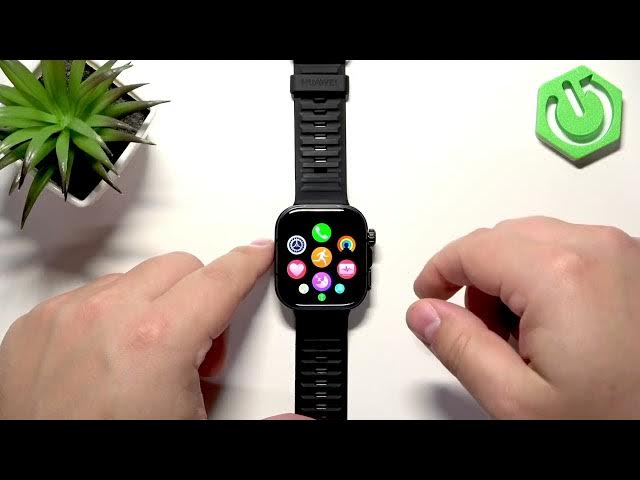
In this video I walk you through six important settings to change on your HUAWEI Watch Fit 5 Pro to improve daily use, battery life and convenience. You’ll learn how to set a fixed screen brightness and disable auto brightness, change screen timeout to save power, adjust ringtone and broadcast volumes, pick a ringtone, schedule Do Not Disturb for sleep or work, and customize the lower button shortcut for fast access. Each step is shown on the watch so you can follow along easily and get the best experience from your Watch Fit 5 Pro.
How to change screen brightness on HUAWEI Watch Fit 5 Pro?
How to set a Do Not Disturb schedule on HUAWEI Watch Fit 5 Pro?
How to customize button shortcuts on HUAWEI Watch Fit 5 Pro?
0:00 Intro
0:12 Change screen brightness and quick panel slider
1:22 Disable auto adjust brightness in Settings → Display & Brightness
2:12 Screen timeout (sleep) options and battery impact
2:57 Sound & vibration: ringtone, alarm and broadcast volume
4:14 Choosing and testing ringtones
4:44 Do Not Disturb schedule setup in Focus → Do Not Disturb
6:54 Customize lower button shortcuts (press once / press twice)
#Huawei #WatchFit5Pro #WatchSettings #SmartwatchTips
Find out more:
https://www.hardreset.info/devices/huawei/huawei-watch-fit-5-pro/6-settings-you-must-change-on-your-watch/
Show More Show Less View Video Transcript
0:00
Hello everyone and welcome back to our
0:02
channel. In front of me I have Huawei
0:04
Watch Fit 5 Pro and today I'm going to
0:06
show you a few settings I recommend to
0:09
change on this watch. So let's get
0:11
started.
0:17
And the first thing I recommend to
0:19
change is the screen brightness. And to
0:21
change the screen brightness, you can
0:22
wake up the screen by pressing the
0:23
Chrome button. Then you can uh open the
0:26
quick panel and if you want to increase
0:28
or decrease the screen brightness you
0:30
can swipe on the slider right here. As
0:32
you can see here we have this a icon or
0:36
letter on the icon of the screen
0:38
brightness. That means that the
0:39
automatic brightness is enabled. And if
0:42
you want to set the brightness to the
0:44
level, the specific level, and you want
0:46
the brightness to stay at that level,
0:47
you will need to disable the automatic
0:49
brightness because by default, it will
0:51
basically adjust the brightness
0:52
automatically according to the
0:54
surrounding light of your watch. And if
0:56
you if you want to set the brightness to
0:58
specific level and stay at the level,
1:00
you will need to go to settings and
1:02
disable that automatic brightness. And
1:03
to do that, uh, open the menu, find the
1:06
settings icon, and tap on it.
1:09
and go to the display and brightness and
1:13
then scroll down and here we have the
1:15
auto adjust brightness and you can
1:16
disable it and now you can adjust the
1:18
brightness to your liking by swiping on
1:19
the slider and the brightness will stay
1:21
at the level you set it to. You can also
1:24
now adjust the brightness by using the
1:25
quick panel as well. The A letter is
1:27
gone as you can see. And you can
1:29
basically adjust the brightness to your
1:31
liking.
1:33
And if you prefer to use the automatic
1:35
brightness, you can always enable it if
1:37
it's disabled by going to display and
1:39
brightness and of course tapping on the
1:41
auto adjust brightness. Another uh
1:45
screen setting I recommend to change and
1:47
check is the screen timeout duration. To
1:49
do it, open the menu, tap on the
1:51
settings icon, tap on the display and
1:53
brightness, and here we have sleep
1:56
option. By default, it will be on auto.
1:58
And you can tap on it. And here we have
2:00
durations like 10 seconds, 15 seconds,
2:02
20 seconds, and auto. So that's about
2:04
all. And basically uh what it does, it
2:06
turns off the screen after you stop
2:08
touching the screen or the buttons. An
2:10
automatic one does it automatically.
2:13
Sometimes it might be quite short.
2:14
Basically, it will quickly turn off. So
2:16
I usually change it on my watch. I
2:18
usually pick something like 10 seconds
2:20
and leave it at that. That's my uh go-to
2:23
and I recommend to check it out. Uh you
2:25
can also set something like 20 or 20 or
2:28
15 seconds, but be aware the longer
2:30
period of time will use more battery
2:31
life because the screen will stay on for
2:33
longer and that's why um uh you can
2:36
check it out if you're willing to
2:38
sacrifice bit of a battery life for
2:40
longer screen time mode. Go ahead, use
2:43
it. I'm just I just recommend something
2:44
like 10 seconds. And if you select it
2:47
now, my screen should turn off
2:48
automatically after 10 seconds of
2:50
inactivity. So if I won't touch the
2:52
screen or the buttons for 10 seconds, it
2:54
will turn off automatically to save the
2:56
battery life like this.
3:01
Another thing I recommend to check is
3:02
the sound volume and sound settings. To
3:05
do it, of course, open the settings on
3:06
your watch.
3:08
Go to the sound and vibration.
3:11
And here we have ringtone, alarm volume
3:16
and broadcast volume. And we can adjust
3:17
the volumes for uh all of them for the
3:20
ringtone. So this is like uh ringtones
3:23
from calls and notification sounds I
3:27
believe and something like that.
3:29
Anything that basically makes the
3:30
notification sound. Then we have the
3:32
alarm volume. So this is for the alarm
3:34
clocks.
3:36
And then we have the uh broadcast
3:37
volume. So this is for the workout
3:39
broadcast.
3:40
um this uh voice that tells you workout
3:42
started, workout ended and stuff like
3:44
that. And you can adjust each of the
3:46
volume to your liking and then you can
3:48
press the uh crown button uh to go back
3:51
to watch face if you want to. But
3:53
another thing I recommend to check and
3:55
change on this watch is the ringtone. So
3:58
go to the sound and vibration menu and
4:00
here we have the set ringtone option and
4:03
you can tap on it and here you have list
4:06
of ringtones you can choose from.
4:07
There's quite a few actually and you can
4:10
listen to them
4:12
by tapping on rington.
4:16
So find the one you like
4:19
and then you can swipe right on the
4:21
screen to go back uh to watch face not
4:24
watch face but to settings like that.
4:26
Okay.
4:28
So that's that's all when it comes to
4:31
sound and ringtones. Another setting I
4:34
recommend to check and use is the uh do
4:38
not disturb mode schedule. By default,
4:41
it will be turned off and I recommend to
4:42
use it. Especially if you prefer to
4:44
sleep with your watch on your wrist, you
4:46
can set up a schedule for your sleep uh
4:48
time. And what it does, it basically it
4:51
mutes all of the notifications on your
4:53
watch during the schedule, which is
4:54
quite useful if you're sleeping with
4:56
your watch, for example, on your wrist
4:57
or maybe at work, anything that requires
5:00
you to uh mute the notifications.
5:04
And to use the schedule, you open the
5:06
settings, go to the option called focus
5:10
and tap on it, and then tap on do not
5:12
disturb.
5:13
And here, instead of like turning on do
5:15
not disturb mode normally, you scroll
5:17
down and here we have scheduled. And you
5:19
can set up schedule for your sleep time,
5:21
work, whatever you like. And to do that,
5:23
tap on add time.
5:26
And here we have start time, end time,
5:28
and repeat. Start time is when the
5:30
schedule will be turning on. End time is
5:32
when it will be turning off. And repeat
5:34
is on which days it should basically be
5:36
active. And we can tap on start. Set the
5:38
timer to something we like. So come on,
5:42
stop going back. For some reason, I keep
5:46
doing something that makes it go back.
5:48
But basically you can swipe up and down
5:50
on hours and minutes to set the time.
5:51
Then tap on okay. And now we have the
5:53
time. Then we have the end time
5:55
something like 8:30 maybe.
5:58
Okay.
6:01
And then the repeat option is like I
6:02
said before you choose the days on which
6:04
the schedule should be active. So let's
6:06
say Tuesday maybe uh Friday that should
6:10
be okay. And tap on okay. Now we have
6:12
our schedule. Tap on okay. And it will
6:14
be saved and turned on automatically.
6:16
So, my schedule will work uh or will
6:19
turn on at 10:30 p.m., turn off at uh
6:22
8:30 a.m. uh each Tuesday and Friday.
6:26
And you can set up multiple schedules if
6:28
you want to. You can uh turn them on and
6:30
off by tapping on the switch. You can
6:32
edit these schedules by tapping on the
6:34
current schedule you want to basically
6:36
edit. And here you can change the start,
6:38
end time, and repeat. You can delete the
6:40
schedule by tapping on delete. I really
6:42
recommend to check it out and set it up
6:44
if you uh
6:47
if you need to, but I recommend using
6:49
it. And then we have the button
6:51
shortcuts.
6:52
Uh basically, you can uh customize the
6:54
shortcut for the lower button. To do it,
6:57
you open the settings, go to the down
7:02
button, and here we have two shortcuts.
7:04
We have press once and press twice. Uh
7:06
the only one you can change is really
7:07
the press once because the press twice
7:09
works with the payment applications. So
7:11
if you want to use your watch to pay uh
7:14
wirelessly with basically with the watch
7:17
you can download and install the payment
7:18
application and once you have some
7:20
payment applications they will appear
7:22
right here on the list and you can
7:23
basically choose the application you
7:25
want to use and then to pay basically on
7:27
your watch you double press the uh
7:29
button it will open the app and you can
7:31
pay. But uh to use the uh press once
7:36
shortcut you can basically customize it.
7:38
You can tap on press once and here you
7:40
can scroll through the list of functions
7:42
you want to open or use with the
7:45
shortcut find the one you like and then
7:47
you can for example open the calculator
7:49
by pressing the button once like this.
7:53
So customize it to your liking. It will
7:55
make your watch more uh convenient to
7:58
use, more uh personalized I would say.
8:01
Uh and that's about all. So, if you
8:04
found this video any helpful, please
8:05
consider subscribing to our channel and
8:07
leaving a like on the video. Thank you
8:09
for watching and see you in the next
8:10
one.
#Science