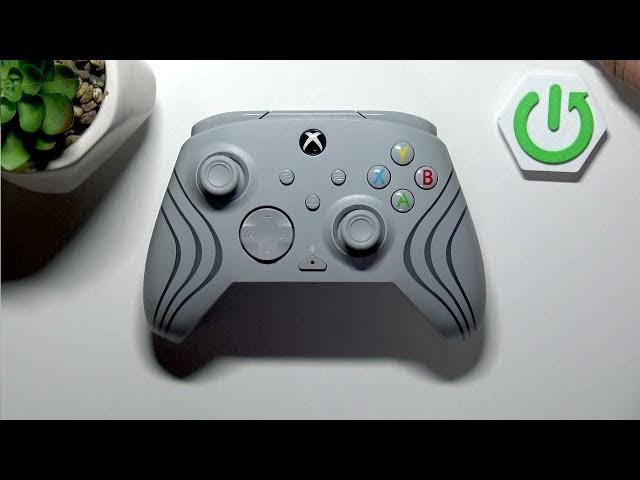

TURTLE BEACH Afterglow Wave - Polling Rate Explained
Jun 9, 2026

In this short video we check the polling rate of the TURTLE BEACH Afterglow Wave controller and explain what that number means for responsiveness in real gameplay. According to the device specification the Afterglow Wave operates at a console-grade polling rate between 125 Hz and 250 Hz (about 4 ms to 8 ms response time). That makes it perfectly suited for standard console and PC gaming, while it is not a 1000 Hz eSports-level controller. Learn the spec numbers, what to expect from input lag, and how this affects your play.
How to check the polling rate on TURTLE BEACH Afterglow Wave?
How to change polling rate on TURTLE BEACH Afterglow Wave?
How to test TURTLE BEACH Afterglow Wave polling rate on PC?
0:00 Intro - What we test
0:13 Specs - 125 Hz to 250 Hz (4–8 ms)
0:29 Performance - What this means for gameplay
0:41 Wrap up - Conclusion and subscribe
#TurtleBeach #AfterglowWave #PollingRate #GamingController
Find out more:
https://www.hardreset.info/devices/turtle-beach/turtle-beach-afterglow-wave/
Follow us on Instagram ► https://www.instagram.com/hardreset.info
Like us on Facebook ► https://www.facebook.com/hardresetinfo/
Tweet us on Twitter ► https://twitter.com/HardResetI
Support us on TikTok ► https://www.tiktok.com/@hardreset.info
Show More Show Less #Science