
SAMSUNG Galaxy S20 5G (Exynos) – How to Fix Battery Drain
Jul 2, 2026

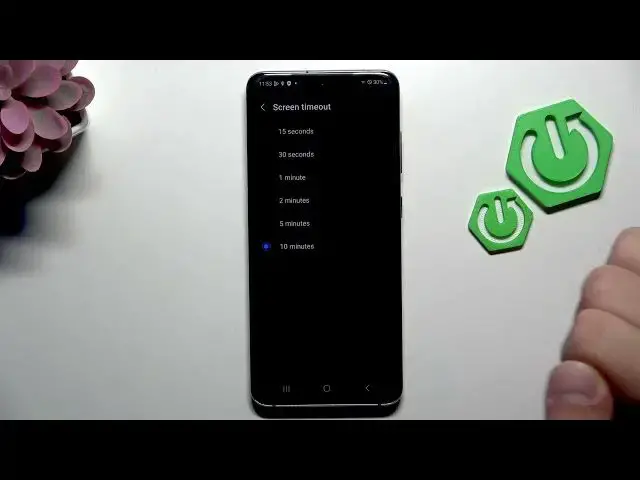
Learn how to fix battery drain on the SAMSUNG Galaxy S20 5G (Exynos). In this short video we show easy, practical settings you can change right now to extend battery life. Follow steps in Settings: enable Dark mode, lower screen brightness, set Motion smoothness to Standard, shorten screen timeout, use Battery and Device Care to optimize, enable Power saving mode, check apps using most power, and turn off unused features like Wi‑Fi or Bluetooth. These quick tweaks help improve daily runtime without losing core features.
How to fix battery drain on SAMSUNG Galaxy S20 5G Exynos?
How to enable Power saving mode on SAMSUNG Galaxy S20 5G?
How to optimize Battery and Device Care on SAMSUNG Galaxy S20 5G Exynos?
0:00 Intro
0:05 Open Settings
0:13 Display — enable Dark mode & lower brightness
0:26 Motion smoothness: change High to Standard
0:31 Screen timeout: shorten to ~1 minute
0:36 Battery & Device Care — optimize and enable Power saving mode
0:57 View apps using the most power
1:01 Disable unused features (Wi‑Fi, Bluetooth)
1:11 Outro / Like & Subscribe
#Samsung #GalaxyS20 #BatteryDrain #PowerSaving
Find out more:
https://www.hardreset.info/devices/samsung/samsung-galaxy-s20-5g-exynos/
Show More Show Less #Science