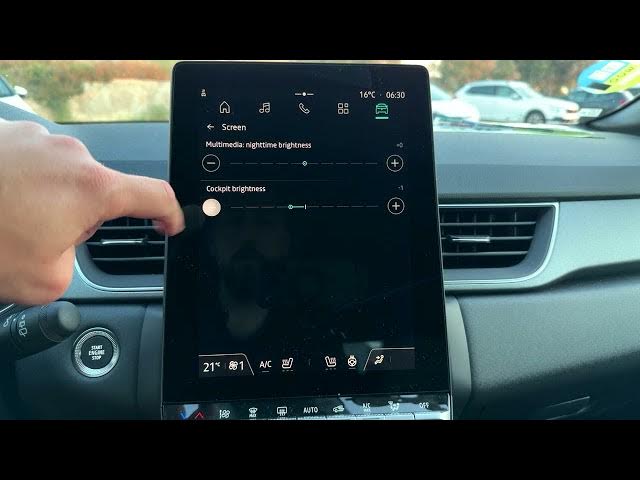

Renault Captur – How to Adjust Screen Brightness
Jun 5, 2026

Learn how to quickly adjust the screen brightness on your Renault Captur infotainment and cockpit displays. In this short video we show the exact menu steps so you can brighten or dim the central multimedia screen and the cockpit display below the steering wheel. From the home screen open the Car icon, select Vehicle, go to the Cockpit tab and tap Screen. You will find Multimedia Nighttime Brightness and Cockpit Brightness with a range from -5 to +5. Follow these simple steps to set the best display brightness for day and night driving on your Renault Captur.
Find out more:
https://www.hardreset.info/devices/renault/renault-captur/
Follow us on Instagram ► https://www.instagram.com/hardreset.info
Like us on Facebook ► https://www.facebook.com/hardresetinfo/
Tweet us on Twitter ► https://twitter.com/HardResetI
Support us on TikTok ► https://www.tiktok.com/@hardreset.info
Use Reset Guides for many popular Apps ► https://www.hardreset.info/apps/apps/
Show More Show Less #Science