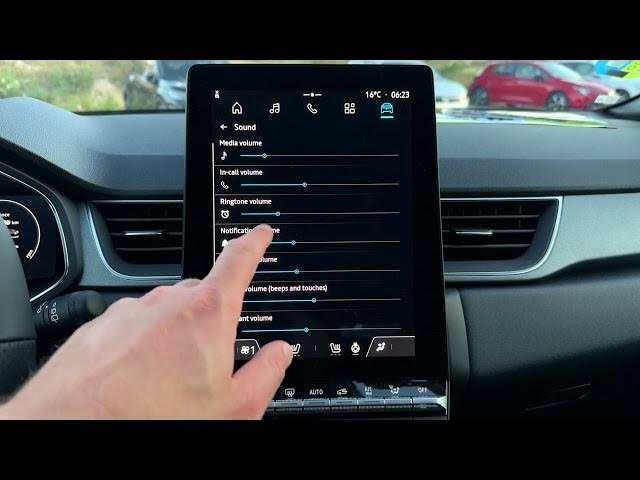

Renault Captur - How to Turn Beeps & Touch Sounds On or Off
Jun 5, 2026

Learn how to turn the beeps and touch sounds on or off in your Renault Captur. In this short, clear video we use the Captur home screen and the built‑in infotainment menus to show the exact steps: open the Apps icon, go to Settings → Sound, then find the System volume and Beeps slider. You can fully mute screen beeps and touch sounds for a quieter cabin or re-enable them for audible feedback when you tap the screen. This method works on most Renault Captur infotainment versions and is useful if you want to customize cabin sounds quickly.
How to turn off beeps and touch sounds on Renault Captur?
How to turn on beeps and touch sounds on Renault Captur?
How to find Sound settings on Renault Captur infotainment?
0:00 Introduction
0:04 Open the Apps icon on the home screen
0:15 Open Settings → Sound
0:28 Find System volume and Beeps
0:45 Disable beeps and touch sounds
0:57 Re-enable beeps and test
1:03 Outro
#RenaultCaptur #CarSettings #BeepSounds #TouchFeedback
Find out more:
https://www.hardreset.info/devices/renault/renault-captur/
Follow us on Instagram ► https://www.instagram.com/hardreset.info
Show More Show Less #Science