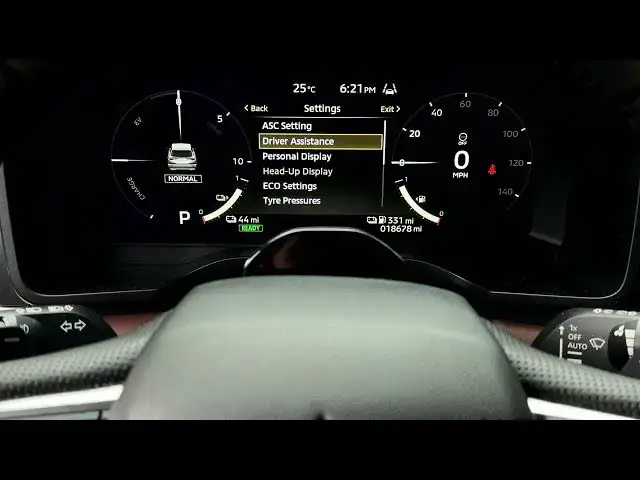

MITSUBISHI Outlander IV – How to Set Driving Break Time Alert
Jun 30, 2026

Learn how to set and manage the driving break time alert on your MITSUBISHI Outlander IV. This video shows exactly where the time alert lives in the instrument cluster, how to navigate using the steering wheel arrows and OK button, how to choose reminder intervals (30–360 minutes), and how to reset the timer. Use this rest reminder to stay safer on long trips and get a clear visual notification on the dashboard when it’s time to take a break.
How to set driving break time alert on MITSUBISHI Outlander IV?
How to reset driving break timer on MITSUBISHI Outlander IV?
Where is the time alert setting in MITSUBISHI Outlander IV instrument cluster?
0:00 Intro – driving break time alert overview
0:04 Instrument cluster navigation: arrows and OK button
0:27 Open Settings and select Driver Assistance
0:48 Find Time Alert and open the options
1:04 Choose reminder duration (30–360 minutes)
1:49 How to reset the reminder timer
1:54 End and subscribe
#Mitsubishi #OutlanderIV #DrivingAlert #CarTips
Find out more:
https://www.hardreset.info/devices/mitsubishi/mitsubishi-outlander-iv/
Follow us on Instagram ► https://www.instagram.com/hardreset.info
Show More Show Less #Science