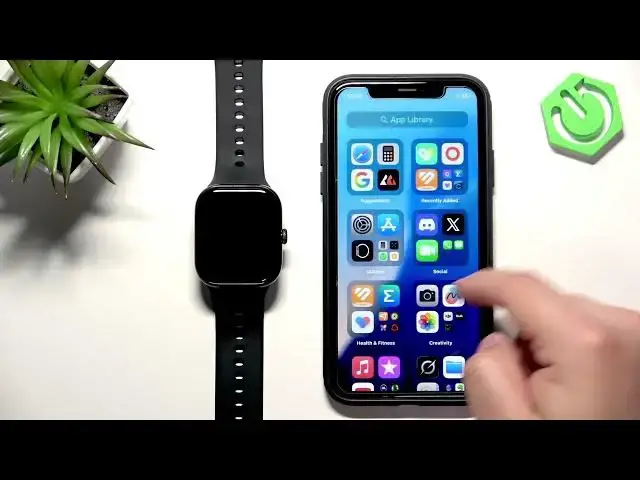
0:00
Hello everyone, and welcome back to our
0:02
channel. In front of me, I have a Vivo
0:04
Watch GT2, and today I'm going to show
0:08
phone notifications for this watch on
0:11
iPhone. Basically, if you want to
0:12
receive the notifications from your
0:13
iPhone on your watch.
0:15
So, let's get started.
0:21
One thing to mention is that if you want
0:23
to receive the notifications from your
0:24
iPhone on your watch, your watch needs
0:25
to be paired with your iPhone via the
0:27
Vivo Health application. And once the
0:30
devices are paired together together,
0:32
rather, you will need to allow some
0:34
required permissions for the
0:35
notifications to work. And to do that,
0:37
we need to open the settings on our
0:38
iPhone and go to Bluetooth.
0:42
And here on the Bluetooth page, you will
0:43
see list of my devices, and on it, you
0:46
should see your Watch GT2
0:51
if your watch is paired with your
0:52
iPhone. So, if the devices are paired
0:54
together, the watch should be here on
0:55
the list, and you need to tap on the uh
0:57
info icon next to it. And on this page,
1:00
you should see this option, share system
1:01
notifications, and this option needs to
1:03
be enabled for the notifications to
1:05
work. Also, it's possible you're missing
1:07
this option, and if you are, you need to
1:09
go to the Vivo Health application.
1:15
let's wait until your watch is done
1:16
connecting with our iPhone.
1:19
Let's try to reconnect it.
1:21
Come on. Okay, it's connected. Go to
1:25
and turn off the notifications that are
1:27
turned on, and then turn them back on.
1:29
And at some point, you will see a pop-up
1:32
about the permissions for the
1:33
notifications. And once you see that
1:35
pop-up, allow all of them.
1:36
There should be two, I believe, but uh
1:39
if there's only one, it should also
1:40
work, but allow that permission because
1:42
it will make this option appear in the
1:44
settings there. So, if you go back now
1:46
to settings, once you allow the
1:47
permission, uh Bluetooth, info icon next
1:50
to your watch, the option should be here
1:52
and now make sure it is enabled. And
1:54
then we can go customize the settings
1:56
for our notifications. So, we can go to
2:00
uh in the app, of course. So, we can
2:01
open the Vivo app, go to devices, go to
2:03
notifications, turn on the
2:05
notifications, and to turn them on, you
2:09
uh switch right here. You can also turn
2:11
on and off some stuff like not
2:13
notification red dot uh light up the
2:15
screen on the uh when you receive the
2:18
when you receive the notification. As
2:19
you can see, we have the list of
2:20
applications we can turn on or off the
2:22
notifications for. It's quite limited.
2:27
it will uh this option here, the others,
2:29
it will enable the notifications for
2:31
every app that is not on this list. So,
2:33
basically everything else. You don't
2:34
have much control if you can only
2:37
control like three apps, but
2:39
that's how it works for this
2:40
application. And now,
2:42
uh once you're done customizing the
2:43
settings for your notifications, you
2:45
should be able to receive them. So, I'm
2:46
going to send myself a message on
2:48
Discord. Actually, let me check if I'm
2:49
logged in into Discord.
2:52
And I don't think I am. Come on. Yeah, I
2:55
need to log in first. So, give me a few
3:19
Now that I'm logged in, I'm going to
3:20
send myself a message, and we're going
3:26
Let's check. It should be working at
3:33
we're going to verify.
3:36
And we got the notification on our
3:38
iPhone. Let's check our watch.
3:41
There's a dot, and if we open the
3:42
notification panel, it is here. So, it
3:44
is working. And that's how you enable
3:46
the phone notifications for this watch
3:48
on the iPhone. If you found this video
3:50
any helpful, please consider subscribing
3:52
to our channel and leave me a like on
3:54
the video. For Thank you for watching
3:55
and see you in the next one.