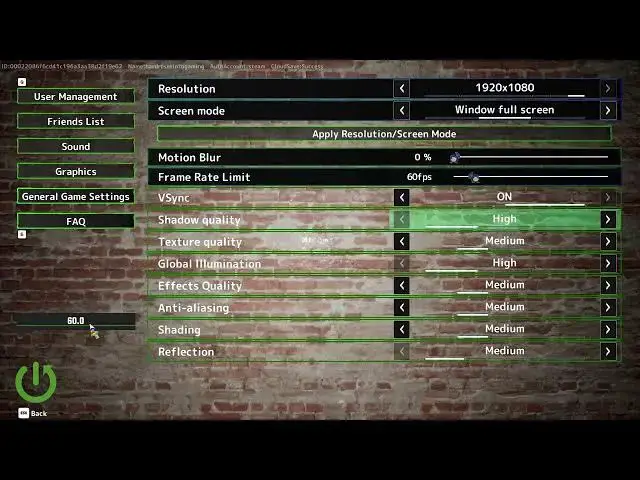

MECCHA CHAMELEON - How to Turn V-Sync on or off
Jun 17, 2026

In this short video you'll learn how to turn Vsync on or off in MECCHA CHAMELEON. We'll open the Settings menu, go to Graphics, find the Vsync option and show the simple toggle. You'll also learn what Vsync does, how it locks your framerate to your monitor's refresh rate to prevent screen tearing, and a quick alternative: set the framerate limit to match your monitor for smoother gameplay. This clear step-by-step demo helps both beginners and experienced players get the best visual result for their setup.
How to turn V-Sync on or off in MECCHA CHAMELEON?
How to enable Vsync in MECCHA CHAMELEON Graphics settings?
Where is the Vsync option in MECCHA CHAMELEON Settings?
0:00 Intro and overview
0:06 Open Settings and select Graphics
0:17 Locate the Vsync option
0:27 Toggle Vsync on or off
0:32 What Vsync does and why it matters
0:54 Alternative: set framerate limit to match monitor
1:13 Save changes and go back
1:21 Outro and subscribe
#MECCHACHAMELEON #VSync #GraphicsSettings #PCGaming
Find out more:
https://www.hardreset.info/devices/game/game-meccha-chameleon/
Show More Show Less #Science