0:00
Hello everyone and welcome back to our
0:02
channel. In front of me I have M frame 2
0:04
light and today I'm going to show you
0:07
how to enable and how to disable the do
0:09
not disturb mode on this watch. So let's
0:18
So to enable the do not disturb mode we
0:20
need to wake up the screen by pressing
0:21
the button. Then we can swipe down from
0:23
the top of the screen to open the quick
0:25
panel. On this panel you should see this
0:27
icon that one that looks like a moon.
0:29
This is the do not disturb mode icon.
0:31
And if you want to enable the mode, you
0:32
can simply tap on this icon. And here we
0:35
have two options. We have all day or
0:37
timed on. All day basically turns on
0:40
turn turns on the uh do not distur mode
0:42
and it will stay on until you turn it
0:44
off. And you can tell that the mode is
0:46
enabled by the icon getting highlighted
0:50
Uh and now the notifications are
0:52
basically muted on your watch. So you
0:54
won't be disturbed. And if you want to
0:55
disable the mode, you open the quick
0:57
panel. Uh, oh my bad. You tap on the do
1:00
not disturb mode icon and the mode will
1:02
be disabled. But you can also enable the
1:04
schedule for it. So basically it will
1:06
turn on automatically and turn off
1:07
automatically at specific times. And to
1:10
do it you open the do not disturb menu
1:12
by tapping on the do not disturb mode
1:14
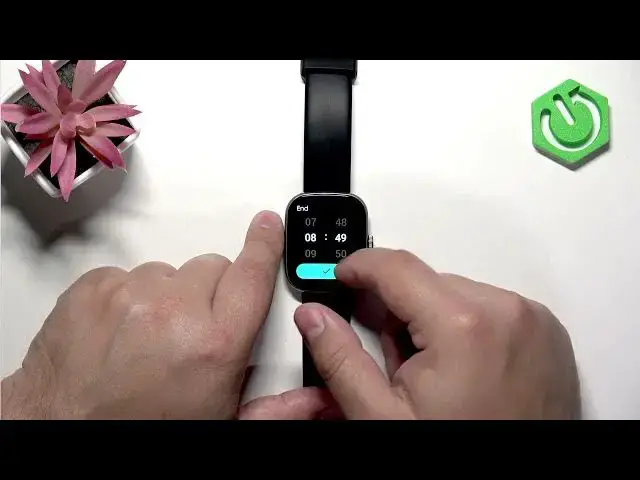
icon. Then enable the timed on. And here
1:17
we have the start time and end time. And
1:19
we can check uh change them. We can
1:21
change the start time to whatever we
1:22
like. For example, I'm going to set it
1:28
And the uh end time will be something
1:31
like 8:30 a.m., I would say. So, let's
1:37
There's 8. And let's look 4:30.
1:48
it's gone. Okay. Here it Oh, no. No. No.
1:52
Come on. Uh, no, please stop. Okay. And
1:57
then we can confirm. And now my do the
2:00
remote will be turning on automatically
2:01
at 10:30 p.m. and turning off at 8:30
2:04
a.m. which gets cool uh it's cool for
2:06
the um sleeping schedule. So if let's
2:10
say you you set it up for sleeping, you
2:12
wearing your uh watch during the sleep,
2:14
it won't disturb you during the sleep
2:16
because the do not disturb mode will be
2:17
enabled. So I recommend to check it out.
2:19
It is quite nice. Okay. And that's how
2:22
you enable and how you disable the do
2:24
not disturb mode on this watch. So, if
2:26
you found this video helpful, please
2:27
consider subscribing to our channel and
2:29
leaving a like on the video. Thank you
2:31
for watching and see you in the next