0:00
Hello. In today's video, I'll show you
0:02
how to fix your Lenovo T1S Pro not
0:12
If your Lenovo uh can't connect to
0:15
Wi-Fi, then you can fix it by uh first
0:19
trying to reconnect it to your phone. uh
0:23
because that method uh doesn't delete
0:26
your map, doesn't delete any data on the
0:29
robot, it just reconnects. So in the app
0:32
of the robot, you can just click on it,
0:36
then click in the top right corner and
0:38
select more functions, then unbind robot
0:44
Now uh you can uh add it again. To do
0:48
it, click on add robot in the app.
0:54
Then select the robot
0:56
and we'll start connecting. First you'll
0:59
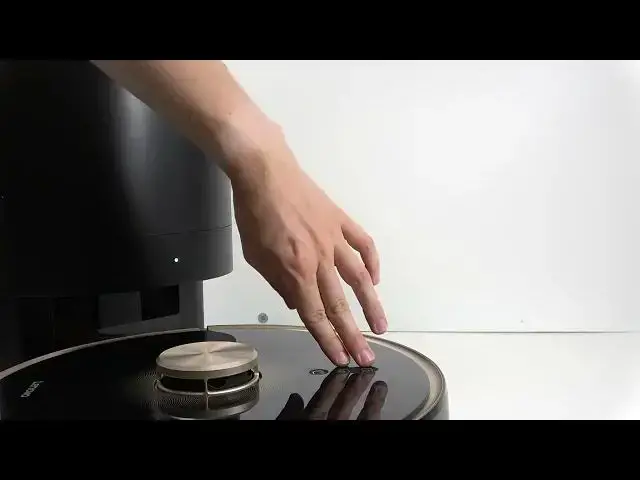
need to put it in pairing mode. To do
1:03
you will need to press and hold on both
1:05
buttons of top on top of the robot, not
1:07
the power button, the two other ones.
1:10
Press and hold on them for 5 seconds.
1:13
>> Wi-Fi has been reset.
1:15
>> Once it says the Wi-Fi is reset, you can
1:17
uh select that the indicator is
1:19
flashing. Click on next. And now connect
1:21
to a Wi-Fi network. A Wi-Fi network that
1:24
you connect to, make sure that it's a
1:26
2.4 GHz network. Um, which means that if
1:30
you have just one network at home, it
1:32
will work. But if you have two networks
1:34
of a similar name and one of them ends
1:36
in 5G or 5 GHz, then that network won't
1:41
work. And try using the older one, the
1:42
one that says 2.4 or doesn't say
1:45
anything like that in the end uh or in
1:47
the beginning of the name. Um,
1:50
and then enter its password so it can be
1:52
sent to the robot. Make sure you keep
1:55
your phone close to the robot as well as
1:57
your Wi-Fi router should be as close as
2:02
Then click on next step. And now it'll
2:05
show you something like that um to like
2:09
connect to the network on your phone. So
2:11
click on got it. And then basically
2:13
you'll need to go to Wi-Fi on your phone
2:15
and connect to the network that begins
2:22
I don't see the network. I'll turn off
2:26
and on the network and then I'll select
2:32
Now let's um click on next.
2:36
>> And it's binding. So let's give it a
2:39
moment. It's going to load.
2:42
and then it'll be connected. If that
2:45
doesn't work, you may need to factory
2:47
reset the robot. There is a video about
2:50
it on the channel. That will
2:51
unfortunately erase the map and all the
2:54
settings, but uh sometimes it's just the
2:57
only thing that you can do. I hope that
2:59
this video was helpful. Don't forget to
3:01
like and subscribe, and I'll see you in