
GameSir Cyclone 2 – How to Adjust Tilt Settings
Jun 7, 2026

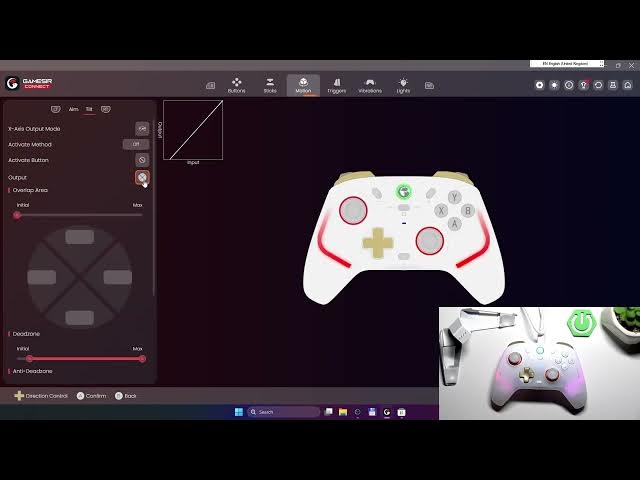
In this video I show how to adjust tilt (motion) settings on the GameSir Cyclone 2 controller using the GameSir Connect app. You will learn where to find Motion → Tilt, how to change X‑axis output mode (tilt horizontally or rotate), choose activation method (hold, press, always on), set activation button and output (directional buttons, mouse, left/right stick), invert the X‑axis and adjust the response curve for smoother control. These steps help you fine‑tune motion controls for better aiming and movement in compatible games.
How to change tilt settings on GameSir Cyclone 2?
How to enable tilt motion on GameSir Cyclone 2?
How to invert X‑axis on GameSir Cyclone 2?
0:00 Intro and controller overview
0:10 Open GameSir Connect app and go to Motion
0:22 Select Tilt mode and X‑axis output options
0:30 Choose activation method: hold / press / always on
0:42 Set activation button and output (D‑pad / mouse / sticks)
0:52 Invert X‑axis and adjust response curve
0:58 Save settings and quick tips
#GameSir #GameSirCyclone2 #ControllerSettings #TiltSettings
Find out more:
https://www.hardreset.info/devices/gamesir/gamesir-cyclone-2/
Follow us on Instagram ► https://www.instagram.com/hardreset.info
Show More Show Less #Science