0:00
Hello. Today I'm going to explain you
0:02
how to fully set up your new Realme 16
0:07
Pro phone. Let's get started.
0:14
First of all, you need to proceed with
0:16
the Hello screen. You need to set up
0:19
your preferable language. I'll go with
0:21
English, but you can choose every one
0:24
that you like. Then you need to select
0:26
your region. I'll go with United States.
0:31
Then you need to agree with the legal
0:33
information. So, user agreement, data
0:35
security, etc. If you want, of course,
0:37
you can read more of it in the details.
0:40
But I'll just go with next.
0:43
Here I need to set up using another
0:45
device if I have an option to. It can be
0:48
Android or iPhone or iPad, etc. But at
0:50
this moment, I'll skip it.
0:53
Then I need to connect to Wi-Fi network.
0:56
In this case, I'll go to the available
1:02
Obviously, I need to put the password to
1:04
the Wi-Fi network that I'm interested in
1:06
and save it. And as you can see, I
1:08
already did it. Click next. Here, you
1:12
need to wait for some time for phone to
1:24
checks the network info.
1:29
Then you can copy apps and data uh from
1:32
another phone and from Google account
1:34
that you already have. But I'll say just
1:42
Then you need to create your lock screen
1:44
pattern. It can be anything that you
1:46
want. I'll go with just a simple one for
1:51
Then you need to sign in to your Google
1:54
account. So you need to put your email
1:56
address and you also need to or you can
2:01
create your Google account if you didn't
2:03
have it previously. But at this moment
2:05
I'll skip it. It just goes as a simple
2:08
process of getting your email and
2:10
getting your passport. It of course
2:12
shows that in the future you'll still
2:14
need it and preferably to get it done
2:16
right now but I'll skip it at this
2:18
moment just for showing in other
2:22
You need to connect to mobile network.
2:24
So setting up an e seam or insert a
2:27
physical sim card but I'll as well skip
2:29
it right now as obviously you need to
2:32
put it into site s side lock
2:37
again. Skip confirmation. You need to
2:40
create your unlock method. So whether it
2:42
will be face, fingerprint or uh another
2:45
password. I'll go let's say with
2:47
fingerprint set lock screen password
2:50
first. I can also do it. Next I choose
2:53
my so let's say numeric continue. I
2:57
create a simple password
3:00
shows. Yeah it's too common but I'll
3:02
still use it. I need to confirm my
3:07
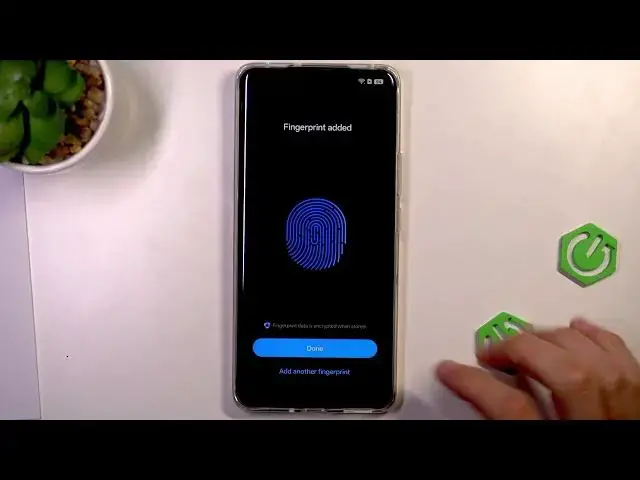
Then I want to add my fingerprint.
3:11
I tap my finger until all this image
3:16
will be fully complete. So I need to
3:18
rotate my finger dump in different
3:21
positions so that this fingerprint would
3:27
showed on the screen.
3:31
As you can see it can take some time.
3:37
You need to rotate it again a little so
3:40
that all this image would be fully fully
3:44
complete. As you can see, I finished. I
3:50
Now I have my two biometrics completed.
3:53
I can also include face ID. But for this
3:56
moment, I'll skip and go next.
4:00
Here I agree on using location, allow
4:03
scanning and other also permissions to
4:07
accept. I click accept.
4:10
Here I choose my browser and search
4:12
engine. So I click next. Here you can
4:15
choose from different options like
4:16
Microsoft Edge or Firefox. I'll go with
4:20
Google Chrome at this moment. Set as
4:22
default. Here you need to select search
4:26
engine. Again couple options but I'll go
4:28
with Google. set as default. Now again
4:31
you need to wait for some time. Now
4:34
you've got recommended services. So
4:36
global search, weather services,
4:39
etc. Auto update overnight. I can also
4:42
toggle this button because it's also
4:44
pretty useful and all others are usually
4:47
already toggled here also enhanced
4:49
intelligence services
4:52
uh system stability improvement program
4:54
etc. You can pre preferably you can read
4:57
if you do not understand something in
4:58
the description. You can learn more if
5:01
you want and I agree agree on these
5:03
options. Then we've got user experience
5:06
program. So there is some information
5:08
how they ask you to improve it. You can
5:11
agree or disagree with it. I go with
5:13
agree. Then there is some navigation
5:15
tips. So, how to use gestures or
5:18
buttons, preferably how to learn those
5:21
gestures, but I just will stick with
5:24
gestures and click done. And now you are
5:28
done with setting up your phone. You
5:30
proceed, it starts already running. It
5:33
starts loading all of the apps and all
5:35
of your home screen widgets. And that's
5:38
how you start using your new Realme 16
5:42
Pro phone. Thank you.