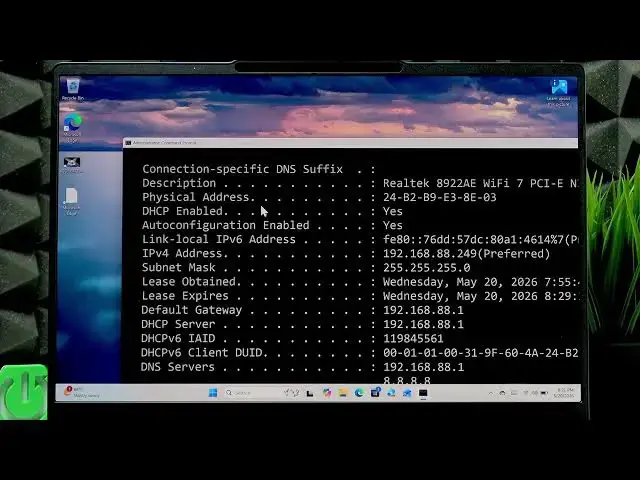

LENOVO Yoga Slim 7 - How to Check MAC Address
Jun 15, 2026

In this short video you will learn how to find the MAC address on your LENOVO Yoga Slim 7 using Windows. I show step-by-step how to open the Start menu, run Command Prompt (CMD) as administrator, enter ipconfig /all, and read the Physical Address field for the active adapters. This method works on Windows 10 and Windows 11 and is useful when you need to register a MAC on a router, check network permissions, or troubleshoot Wi‑Fi and Bluetooth connectivity issues.
How to check MAC address on LENOVO Yoga Slim 7?
How to find Wi-Fi MAC address on LENOVO Yoga Slim 7 Windows?
How to find Bluetooth MAC address on LENOVO Yoga Slim 7?
0:00 Intro - What we will show in this video
0:06 Open Start and search for CMD (Command Prompt)
0:17 Run CMD as administrator and confirm
0:23 Type ipconfig /all and press Enter
0:34 Locate the active network adapter (usually Wi‑Fi)
0:50 Read the Physical Address (this is the MAC) for Wi‑Fi
0:59 Find the Bluetooth adapter MAC below
1:08 Outro and subscribe reminder
#Lenovo #YogaSlim7 #MACaddress #WindowsTips
Find out more:
https://www.hardreset.info/devices/lenovo/lenovo-yoga-slim-7/check-mac-address/
Show More Show Less #Science