
LENOVO Yoga Slim 7 – How to Enable or Disable Wi-Fi in BIOS
Jun 7, 2026

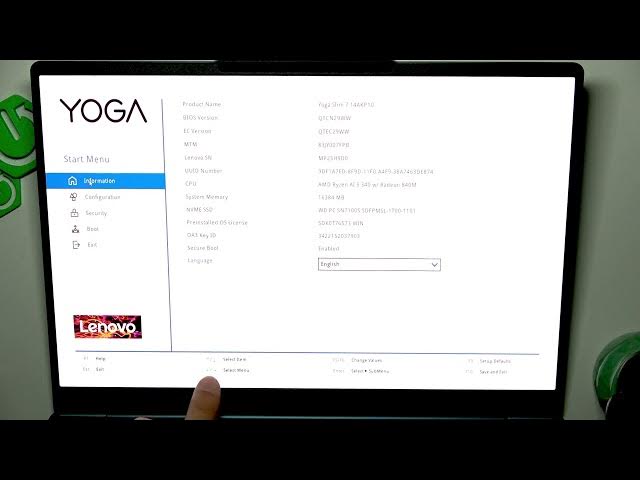
Learn how to enable or disable Wi-Fi from the BIOS on the LENOVO Yoga Slim 7. In this short video we show how to enter the BIOS (power on and repeatedly press F2), navigate the BIOS menu, open the Configuration tab, find the Wireless LAN option and switch it to Enabled or Disabled. You will also see how to save changes with F10 or exit without saving using Esc. This walkthrough is useful for troubleshooting, testing, or fully turning off the Wi‑Fi module for security reasons. Keywords included: LENOVO Yoga Slim 7 BIOS Wi‑Fi, enter BIOS F2, Wireless LAN setting, enable Wi‑Fi, disable Wi‑Fi, save F10.
How to enable Wi-Fi in LENOVO Yoga Slim 7 BIOS?
How to disable Wi-Fi in LENOVO Yoga Slim 7 BIOS?
Where is the Wireless LAN setting in LENOVO Yoga Slim 7 BIOS?
0:00 Introduction
0:06 Turn on and press F2 to enter BIOS
0:20 BIOS navigation and controls
0:38 Open Configuration tab
0:46 Find Wireless LAN option
0:56 Enable or Disable Wi-Fi module
1:07 Save changes (F10) or Exit without saving (Esc)
1:20 Outro and subscription
#Lenovo #YogaSlim7 #BIOS #WiFi
Find out more:
https://www.hardreset.info/devices/lenovo/lenovo-yoga-slim-7/
Show More Show Less #Science