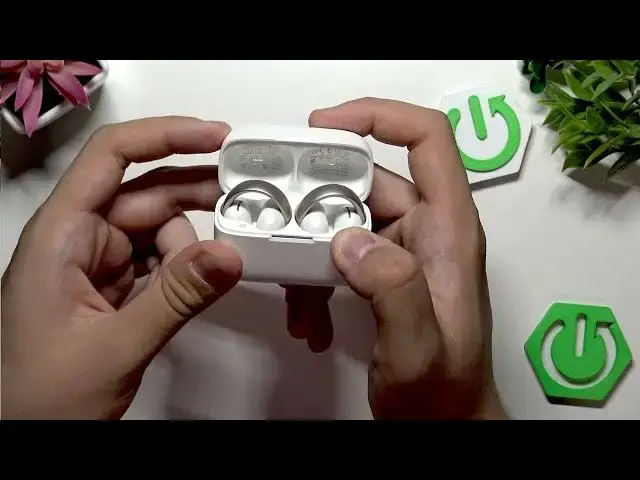

How to Fix SOUNDCORE AeroClip Sound Cutting Out (Intermittent / Stuttering)
Jul 2, 2026

If your SOUNDCORE AeroClip earbuds keep cutting out, stuttering, or have intermittent sound, this short video shows the simple checks and fixes you can try at home. First, check your phone position and avoid covering the Bluetooth sensor area — many phones have the antenna near the top or side and covering it can cause audio lag. If that doesn’t help, perform a factory reset: open the AeroClip case, press and hold the reset button for 10 seconds with the case open. If sound issues persist, try connecting the AeroClip to another device to isolate whether the earbuds or the phone is the problem. Finally, contact Soundcore support if the earbuds still cut out after testing on another device. This video explains step-by-step how to fix sound cutting out on SOUNDCORE AeroClip and covers Bluetooth, reset, and testing tips to get your audio working again. Keywords: SOUNDCORE AeroClip fix, earbuds cutting out, audio stuttering, Bluetooth earbuds intermittent sound, factory reset AeroClip, reset Soundcore earbuds.
How to fix SOUNDCORE AeroClip when sound is cutting out?
How to factory reset SOUNDCORE AeroClip earbuds?
How to test if SOUNDCORE AeroClip is broken or my phone has Bluetooth issues?
0:00 Intro – problem overview
0:10 Check phone position and Bluetooth sensor location
0:32 Don’t cover the phone’s Bluetooth antenna (common spots to avoid)
0:52 Factory reset SOUNDCORE AeroClip — open case and hold button 10s
1:15 Retry reset if not pressed properly
1:25 Test AeroClip with another phone or device
1:36 Contact Soundcore support or check phone Bluetooth fixes
1:53 Wrap up and final tips
#SOUNDCORE #AeroClip #BluetoothEarbuds #AudioFix
Find out more:
https://www.hardreset.info/devices/soundcore/soundcore-aeroclip/
Show More Show Less #Science