0:00
Hello everyone and welcome back to our
0:02
channel. In front of me I have My Moatch
0:05
R and today I'm going to show you how to
0:07
pair this watch with the Android phone.
0:10
So let's get started.
0:16
So first you will need to turn on your
0:17
watch and you can do it by pressing and
0:21
side button until you see the logo on
0:23
the screen. And once you see the logo
0:24
you can release the button and wait
0:26
until the watch is done booting up. And
0:28
once it boots up, you probably will see
0:29
this list of languages on the screen.
0:31
You can scroll through it. Look for the
0:32
language you would like to use on your
0:34
watch. And once you find the language,
0:38
Uh I'm looking for English. Oh, there
0:41
there it was. I'm going to select
0:43
English and tap on the check mark. And
0:44
after you select the language, it will
0:46
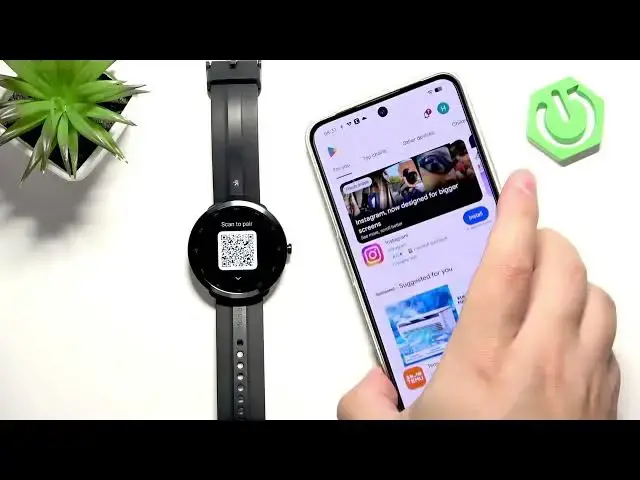
present you with the QR code and you can
0:48
use it to uh get the link for the
0:50
application if you don't want to search
0:52
for it. And also you can or you will
0:55
need it for pairing process. So, uh,
0:59
once you see the QR code, we can go to
1:00
our phone we want to pair our watch
1:02
with. We need to have a Bluetooth
1:04
enabled and internet connection. And
1:06
then you can scan the QR code if you
1:08
want to. I'm just going to open the Play
1:09
Store. And here I'm going to uh, come
1:12
on. Why are you in this direction? I'm
1:14
going to tap on search and type in name
1:16
of the app we need, which is myo
1:20
uh, fit and tap on search. And on the
1:23
list of apps, you should see this
1:25
application with this icon. Let's
1:29
and wait. And after the application is
1:31
done installing, we can open it.
1:36
Okay, let's open the app here. Tap on
1:39
agree. We need to select a region. So
1:42
you can tap here and you can scroll
1:44
through the list or just type in
1:49
Tap on next. So once you select one, tap
1:53
And here we need to login into an
1:55
account. If you if you don't have an
1:56
account, you can sign up or use Google
1:59
or Facebook account. I'm just going to
2:01
use mine because I already have an
2:12
And after you log in,
2:15
you will see homepage basically. And we
2:17
can tap on device icon. For some reason,
2:20
I still have a watch here. So, let me
2:21
disconnect it quickly.
2:25
And usually, if you don't have any
2:27
devices connected to your account, you
2:28
will see this page. And basically, you
2:30
can tap on add device, wake up the
2:33
screen on your watch, allow the required
2:37
and then it will open this. Oh, my butt.
2:40
It will open this uh camera app, and you
2:43
can basically scan the QR code with your
2:45
phone. So basically you need to point
2:47
the phone's camera on the watch to scan
2:51
And once you scan the QR code, it will
2:53
start pairing. And here we need to tap
2:54
on agree and continue.
3:01
check mark on the watch.
3:07
And that's about it. The pairing process
3:09
is complete. It's quite simple and quite
3:11
quick. Uh, and now your watch should be
3:14
ready to use as you can see.
3:16
And that's how you pair this watch with
3:19
the Android phone. So, if you found this
3:21
video helpful, please consider
3:23
subscribing to our channel and leaving a
3:25
like on the video. Thank you for
3:26
watching and see you in the next one.