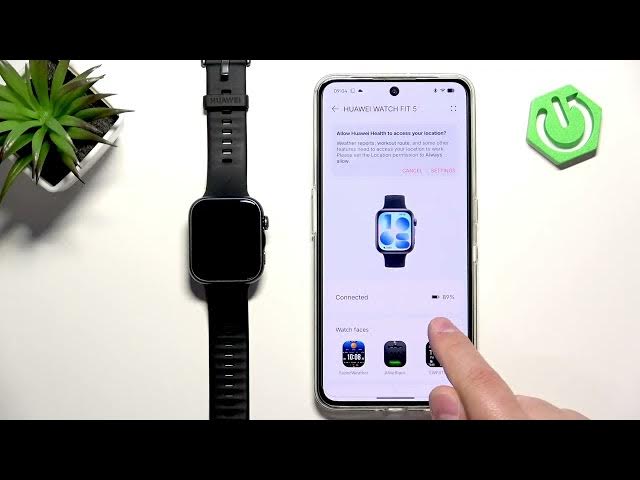

HUAWEI Watch Fit 5 – How to Factory Reset Using the HUAWEI Health App
Jun 14, 2026

In this short video I show how to factory reset the HUAWEI Watch Fit 5 using the HUAWEI Health app on the phone paired with your watch. You will learn each step clearly: confirm your watch is paired, check the battery level (keep it above 20–30% to avoid interruption), open HUAWEI Health, go to Devices, select HUAWEI Watch Fit 5, scroll to Restore factory settings, confirm the action and wait about 1–2 minutes while the watch resets and disappears from the app. This method is ideal for fixing software issues, removing personal data, or preparing the watch for a new owner.
How to factory reset HUAWEI Watch Fit 5 using the HUAWEI Health app?
How to restore HUAWEI Watch Fit 5 to factory settings from phone?
Where is Restore factory settings in HUAWEI Health for Watch Fit 5?
0:00 Intro and overview
0:15 Make sure watch is paired and open HUAWEI Health
0:30 Tap Devices and select HUAWEI Watch Fit 5
0:43 Battery warning and tap Restore factory settings
1:08 Watch resets, disappears from app and final notes
#HuaweiWatchFit5 #FactoryReset #HuaweiHealth #ResetWatch
Find out more:
https://www.hardreset.info/devices/huawei/huawei-watch-fit-5/factory-reset-using-app/
Follow us on Instagram ► https://www.instagram.com/hardreset.info
Like us on Facebook ► https://www.facebook.com/hardresetinfo/
Tweet us on Twitter ► https://twitter.com/HardResetI
Show More Show Less #Science