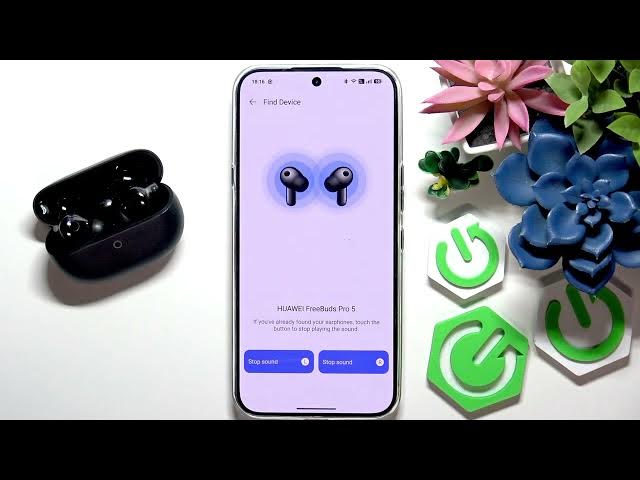

HUAWEI FreeBuds Pro 5 – How to Find Earbuds
Jun 14, 2026

In this short video you will learn how to find your HUAWEI FreeBuds Pro 5 earbuds using the HUAWEI Audio Connect app. I show where to find the Find Device option, how to play a sound on the left, right, or both earbuds, and the safety warning to never wear the earphones while the locator sound is played. This method works when the earbuds are nearby and connected to your phone — follow these quick steps to locate your FreeBuds Pro 5 fast.
How to find HUAWEI FreeBuds Pro 5 earbuds using HUAWEI Audio Connect?
How to play sound to locate HUAWEI FreeBuds Pro 5?
Where is Find Device in HUAWEI Audio Connect for HUAWEI FreeBuds Pro 5?
0:00 Introduction
0:08 Open the HUAWEI Audio Connect app
0:15 Scroll to More and tap Find Device
0:30 Select HUAWEI FreeBuds Pro 5 from the list
0:38 Play sound on left, right, or both (safety warning)
0:56 Stop the sound and finish
#Huawei #FreeBudsPro5 #FindEarbuds #WirelessEarbuds
Find out more:
https://www.hardreset.info/devices/huawei/huawei-freebuds-pro-5/
Follow us on Instagram ► https://www.instagram.com/hardreset.info
Like us on Facebook ► https://www.facebook.com/hardresetinfo/
Show More Show Less #Science